Schema markup helps search engines and generative engines understand your content clearly, improving visibility, click-through rates, and eligibility for rich results. When implemented correctly, it enhances how your pages appear in search and supports AI-driven discovery, making it easier for your brand to be recognised, interpreted, and surfaced across platforms.
Introduction
In SEO & GEO, small details can make a big impact — and schema markup (or structured data or rich results) is one of them. It tells search engines exactly what your page is about — whether it’s a product, article, recipe, review or anything else (there are over 16000 types of schemas).
The more clearly search engines understand your page, the better it can display it. This extra clarity can lead to better visibility and results in SERPs. In this guide, we’ll explain how schema works and how it can improve your SEO and GEO performance.
[text_lm]
What Is Schema Markup?
Schema markup is a type of structured data that helps search engines understand the content on your web pages. It uses a standard vocabulary defined by Schema.org and is usually written in a format called JSON-LD, however there are other formats as well like Microdata and RDFa.
In simple terms, it tells search engines what your page elements mean — not just what they say. For example, it can specify that a name refers to a person, a string of numbers is a product price, or a date is an event date.
In 2026, this structured data serves as the primary “data feed” for Large Language Models (LLMs), allowing AI engines like ChatGPT, Gemini and others to cite your brand with higher accuracy.
By adding schema markup, you make it easier for Google and other search engines to interpret your content correctly. This enables its display in rich results like ratings, FAQs, or event details in search results.
How Schema Markup Affects SEO
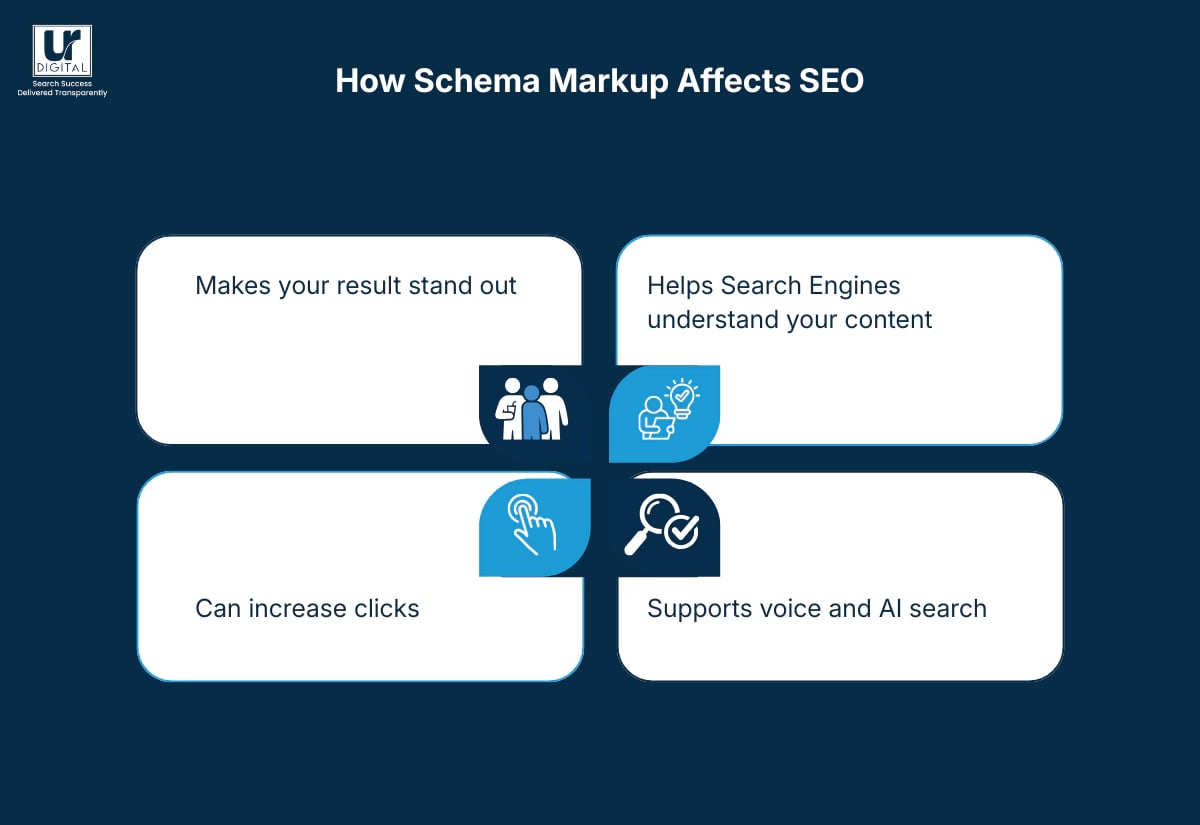
While schema markup doesn’t magically push your website to the top of Google, it helps search engines understand your pages better. This can lead to better visibility and more clicks.
Here’s what it actually does:
1. Makes your result stand out
Schema helps Google show extra details in search results, like star ratings, FAQs, event times, prices, etc. These are called rich results, and they make your listing look more useful and eye-catching.
2. Can increase clicks
When your search result shows more information than others, people are naturally more inclined to click. Even if your ranking stays the same, schema can still boost your click-through rate.
3. Helps Search Engines understand your content
Schema tells search engines exactly what your page is about. This also applies to AI engines like Perplexity, ChatGPT, and others which use your schema as a factual source of truth to generate answers.
4. Supports voice and AI search
As search engines moves towards AI-driven results and voice search, schema helps your content get picked up and shown in these new formats. It gives Google clear signals about who you are and what you offer.
[image_lm]
Why Schema is the Foundation of GEO (Generative Engine Optimisation)
As we move further into 2026, SEO has expanded into GEO. Traditional search engines and AI engines look for “Entities”—specific, verifiable concepts (e.g., brand, experts, services.
Here is how structured data enhances AI visibility:
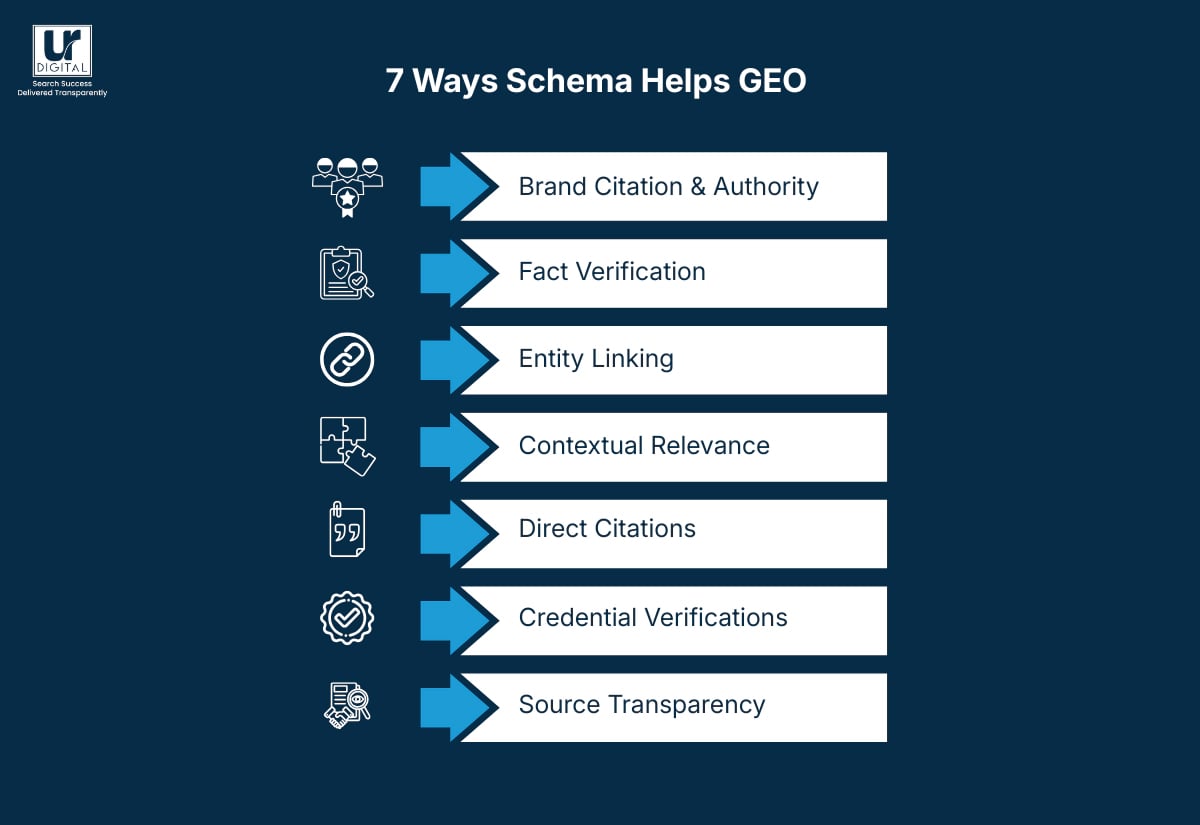
1. Brand Citation & Authority
By using Organisation and Person schema, you provide AI models with definitive proof of your identity. This significantly increases the chances of your brand being “cited” as a source in an AI-generated overview.
2. Fact Verification
AI models prioritise structured data to verify hard facts (like prices, technical specifications, and dates). Providing clear Product and Service schema ensures the AI provides 100% accurate information about your offerings to potential customers.
3. Entity Linking
Using the knowsAbout property in your schema allows you to tell AI engines exactly which industry topics you are an expert in. This helps you appear in “Expert Recommendations” within AI chat interfaces.
4. Contextual Relevance
AI engines use structured data to understand the intent behind your content. Whether you are providing a “How-To” guide or a “Review,” schema ensures the AI categorises your expertise correctly in conversational search.
5. Direct Citations
Organisation and Person schema makes it easier for Large Language Models to attribute information back to your site. This increases brand visibility in Artificial Intelligence chats.
6. Credential Verification
Using hasCredential provides the Large Language Model with proof of your author’s professional certifications. This increases credibility.
7. Source Transparency
Using isBasedOn identifies the research or data your content is built upon, increasing trust for citations.
Types of Schema
Note: For almost all the examples added (except FAQ schema), the main source is Schema.org. While the format for these is from Schema.org, the specific values have been changed to avoid complete plagiarism. All changed values are highlighted in magenta or now.
Following are some of the most common types that can make a real difference to your SEO and your brand’s AI visibility:
1. Organisation / Local Business Schema
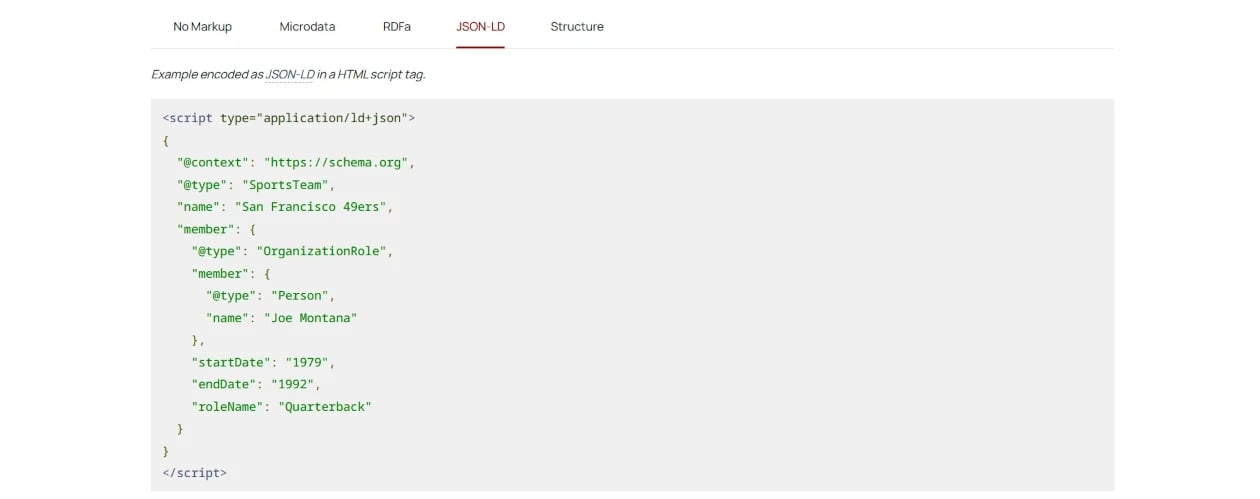
- Purpose: Tells Google who you are, what you do, and where you’re located.
- Includes: Business name, address, logo, contact info, and social links.
- Best for: Company websites, local businesses, and service providers.
Source: Schema.org
2. Article / BlogPosting Schema
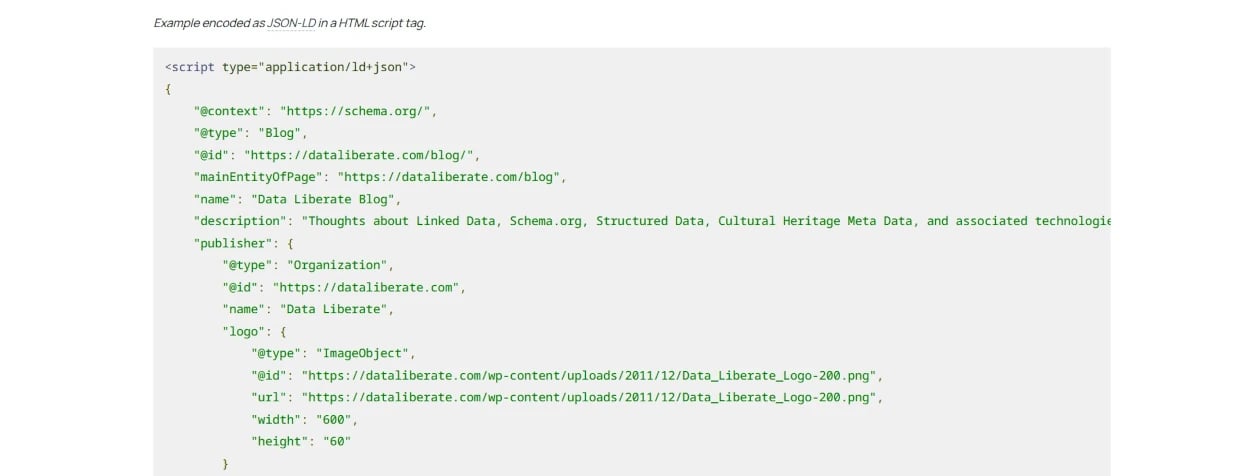
- Purpose: Helps search engines understand blog or news articles.
- Includes: Title, author, publish date, and featured image.
- Best for: Blogs, news sites, and publishers.
Source: Schema.org
[text_lm]
3. FAQPage Schema
- Purpose: Marks up Q&A sections for rich FAQ results in search.
- Best for: Service pages, help centres, and educational content.
4. Product Schema
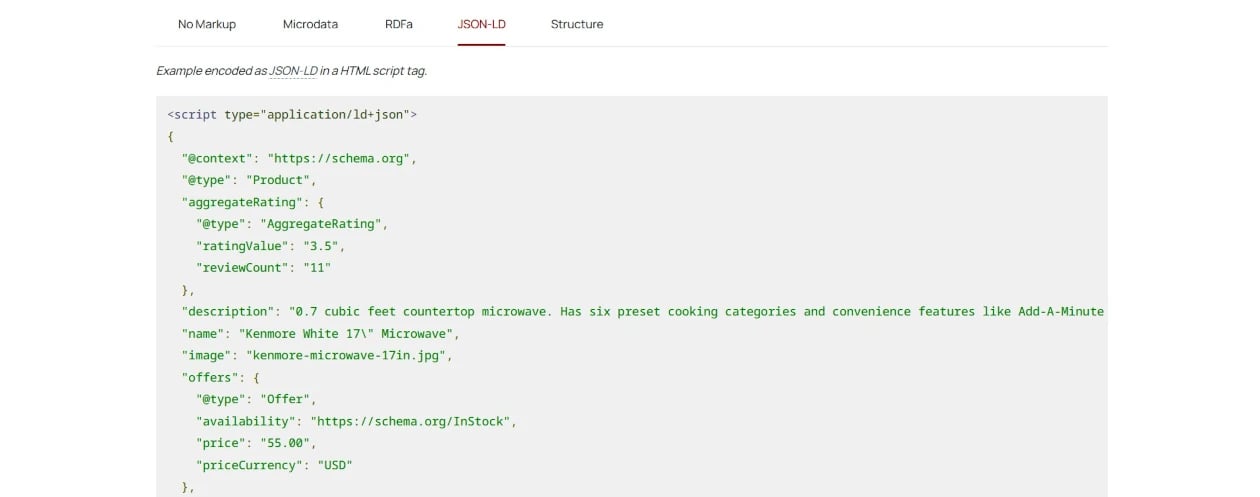
- Purpose: Adds product details like price, stock status, and reviews.
- Best for: eCommerce and retail websites.
Source: Schema.org
5. Review / AggregateRating Schema
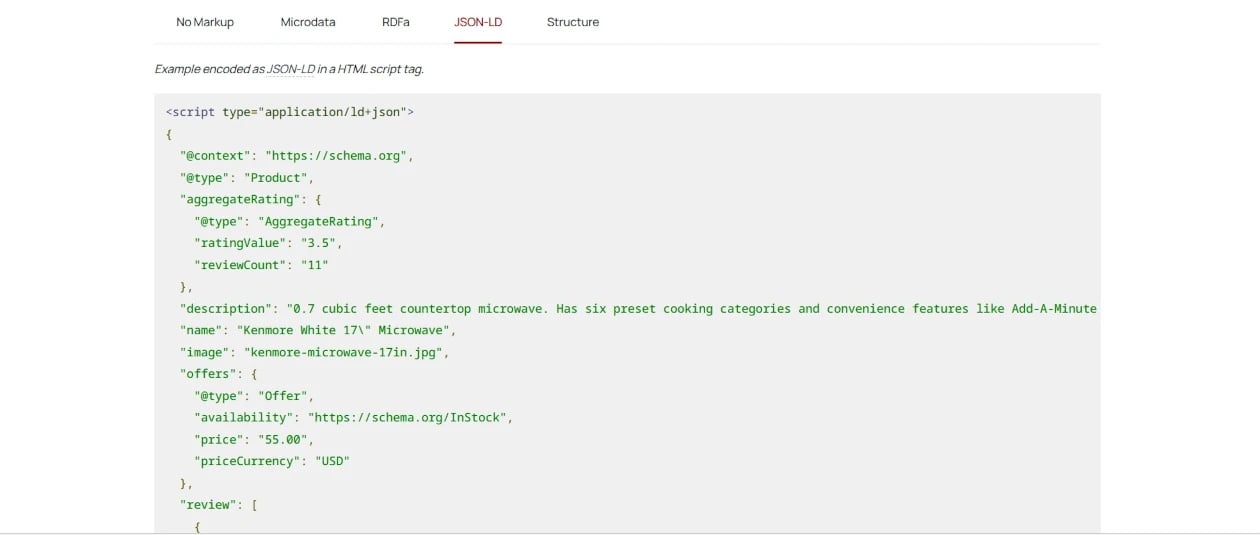
- Purpose: Highlights star ratings, feedback, or overall scores.
- Best for: Products, services, and businesses that collect reviews.
Source: Schema.org
[image_lm]
6. Breadcrumb Schema
- What it does: Shows your site’s navigation path (e.g., Home > Blog > Article Name) in search results, helping users and search engines understand your site structure
7. Event Schema
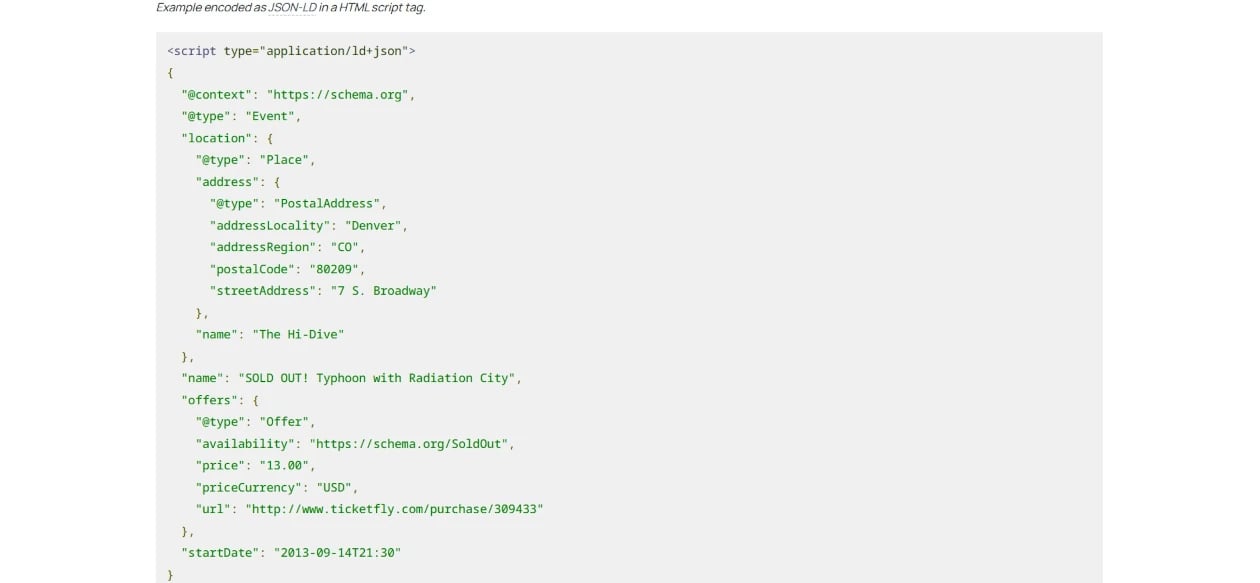
- What it does: Displays upcoming events with dates, times, and locations right in search results.
- Best for: Conferences, workshops, concerts, or webinars.
Source: Schema.org
8. HowTo Schema
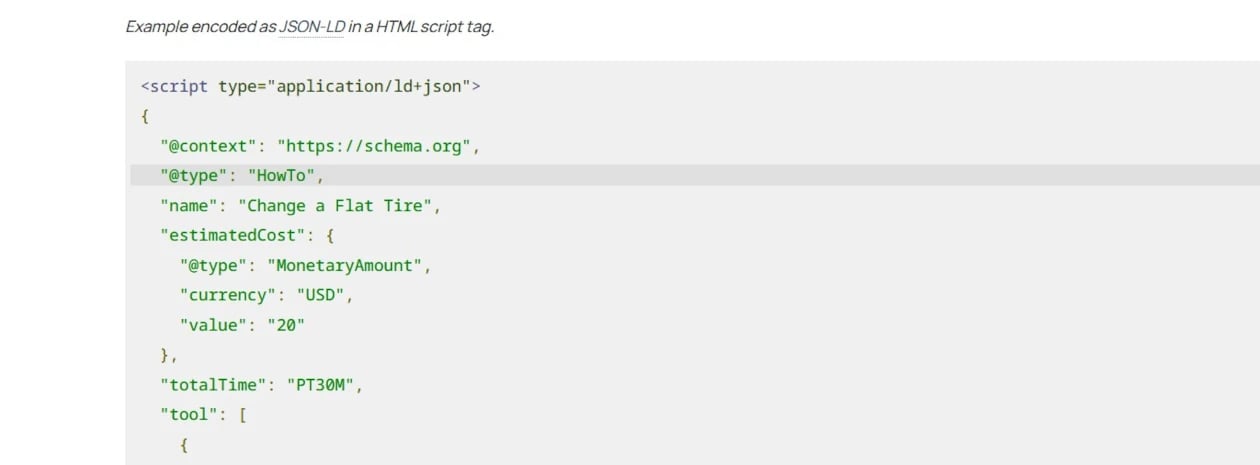
- What it does: Breaks down step-by-step instructions for users and can include images or estimated times.
- Best for: Tutorials, DIY guides, and instructional content.
Source: Schema.org
To view complete markup examples in detail, you can visit schema.org
[text_lm]
How to Choose the Right Schema for Your Website
1. Start with your core content
Look at the main purpose of your page. For example:
- A blog post should use Article or BlogPosting.
- A product page should use Product, Offer, and Review.
- A local business page should use LocalBusiness or Organisation.
2. Match user intent
Think about what people are searching for when they find your page.
- Are they looking for answers? Use FAQPage or HowTo content.
- Are they comparing services? Use Service or Product content.
- Are they attending something? Use Event content.
3. Add supporting schema where relevant
Combine secondary schema types to add more context.
- Example: Article + Author + Breadcrumb
- Example: Product + AggregateRating + Offer
4. Follow Google’s guidelines
Not all schema types are eligible for rich results. Check Google’s Structured Data Gallery to see which types are supported and how they appear.
5. Keep it consistent
Make sure your schema matches the visible content on your page. If you mark something up that isn’t actually there (like fake reviews or prices), it will not be shown.
[image_lm]
How to Add Schema Markup
Adding schema markup sounds technical, but it’s easier than it looks — especially with the tools available today. You can add it manually or through plugins, depending on how your website is built.
Here’s how to do it step by step:
1. Choose the right schema type
Start by identifying which type of schema best fits your page — for example, Article, Product, FAQPage, or LocalBusiness. You can find all types on Schema.org.
2. Generate your markup
If you’re not comfortable writing code, use tools like:
- Google’s Structured Data Markup Helper
- Use your favourite LLM to generate it for you.
These let you fill in key details and create valid JSON-LD code automatically.
3. Add it to your website
You can copy the generated code and paste it into your page’s <head> section or embed it within your CMS’s header or schema field.
Alternatively, for WordPress, you can use plugins such as Rank Math, Yoast SEO, AIOSEO or SEO Press or 100s others to handle markup automatically. Personally I am not a big fan of Yoast. You just fill in your details once, and the plugin adds the code sitewide. There are plenty of plugins available for Shopify if you are not comfortable editing Liquid code, but if your site is built on Wix, Squarespace, Duda or ReactJS and others, chances are you need to add it and maintain it manually.
4. Test your schema
Before publishing, check that your markup is valid. Use:
These tools flag any missing or incorrect fields so you can fix them before Google crawls your page.
Pro-tip: You can also check what schema your competitors are using by entering their URL in one of these online tools.
5. Monitor results
After adding schema, keep an eye on the Enhancements section in Google Search Console. It will show whether your structured data is valid and whether your pages are appearing as rich results.
Conclusion
Now that you know about schema markup, the next step is to audit your website to see where structured data can add value. Start with your most important pages — your homepage, services, and blogs. In these, you can begin identifying opportunities for rich results and Generative Engine Optimisation.
If you’re not sure where to begin, UR Digital can run a structured data audit and help implement the right schema across your site. Contact us today to increase your brand’s visibility in both search results and generative engines.
[image_lm]
FAQs
- Can I use multiple schema types on one page?
Yes, as long as each schema accurately describes the content on that page. For example, an eCommerce product page can include Product, Review, and Offer schema together.
- What happens if I use schema incorrectly?
If your schema contains errors or doesn’t match your visible content, Google may ignore it or issue a warning in Search Console. Always validate your markup to make sure it follows Google’s guidelines.
- Is schema markup only for large websites?
No — businesses of all sizes can benefit from schema. Whether you run a small local business, a blog, or an online store, schema helps your content appear more clearly and professionally in search results.
- How often should I update my schema markup?
You should review your schema when the information on the page changes. Outdated or invalid markup can stop Google from showing rich results. Regular checks in Search Console help you spot and fix issues early.
- Can schema markup help with voice search?
Yes. Schema markup provides structured, context-rich information that makes it easier for voice assistants like Google Assistant or Alexa to pull accurate answers from your site.
- Does every page on my website need schema?
Not necessarily. Focus on high-value pages first — like your homepage, service pages, product pages, and key blog posts. Once you’ve seen the results, you can expand schema coverage across the rest of your site.
- How long does it take for schema to show in search results?
It varies. After implementation, it can take anywhere from a few days to a few weeks for Google to crawl, process, and display your structured data in search results. Pro-tip: If you want to see results faster, just submit it for re-indexation via GSC.
- How do I fix schema errors in Google Search Console?
Go to the Enhancements section in Search Console to view schema-related warnings or errors. Review the details, update your markup code with the help of LLMs, then revalidate your fixes to confirm the issues are resolved.
- Does duplicate schema markup cause problems?
It can, if the data conflicts or repeats unnecessarily. Having multiple schema types for the same content (e.g. two Product schemas with different prices) can confuse Google. Keep your structured data clean, consistent, and relevant.
- Can I automate schema markup for large websites?
Yes. Many CMS platforms and SEO tools allow you to set schema templates that apply automatically to all pages of a certain type — like blog posts, products, or FAQs. This saves time and ensures consistency across large sites.
- Does schema markup work for images and videos?
Yes. Schema types like ImageObject and VideoObject tell Google what your visuals represent, helping them appear in image or video search results with better context and visibility.
Disclaimer
The contents of this blog are for informational and educational purposes only. They do not constitute professional SEO, GEO, AEO, ASO, or digital PR advice and should not be relied upon as such. We recommend consulting with an SEO expert before implementing any strategies. UR Digital accepts no responsibility or liability for any outcomes resulting from actions taken in reliance on the information contained in this content. Links to third-party websites are provided for reference purposes only. We do not endorse or guarantee the accuracy, relevance, or completeness of their content.