User-generated content boosts your brand by building trust, improving engagement, and influencing buying decisions through real customer experiences. When used across websites, social media, email, and ads—with the right structure and intent—it strengthens credibility, improves SEO and drives conversions, while poor use can limit its impact or reduce effectiveness.
Introduction
User-generated content has quietly become one of the most influential forms of marketing today. People trust real experiences more than anything a brand says about itself, and UGC gives you that honesty instantly.
Whether it’s a quick video review or a simple photo, it adds credibility you can’t manufacture. The challenge for most brands isn’t finding UGC — it’s knowing how to use it properly. In this blog, we’ll walk through practical, realistic ways to make UGC work for you.
Let’s start by quickly understanding what UGC content means and involves.
[image_lm]
What Does UGC Mean?
UGC (user-generated content) is any post, photo, video, review, or post created by real customers sharing their own experience about a brand. It is genuine because it comes from everyday people, not marketing teams, which is why audiences trust it so much.
To learn more about UGC, read What Is UGC Content? Meaning, Benefits & Examples
Where Can You Use UGC in Your Marketing (Practical Tactics)
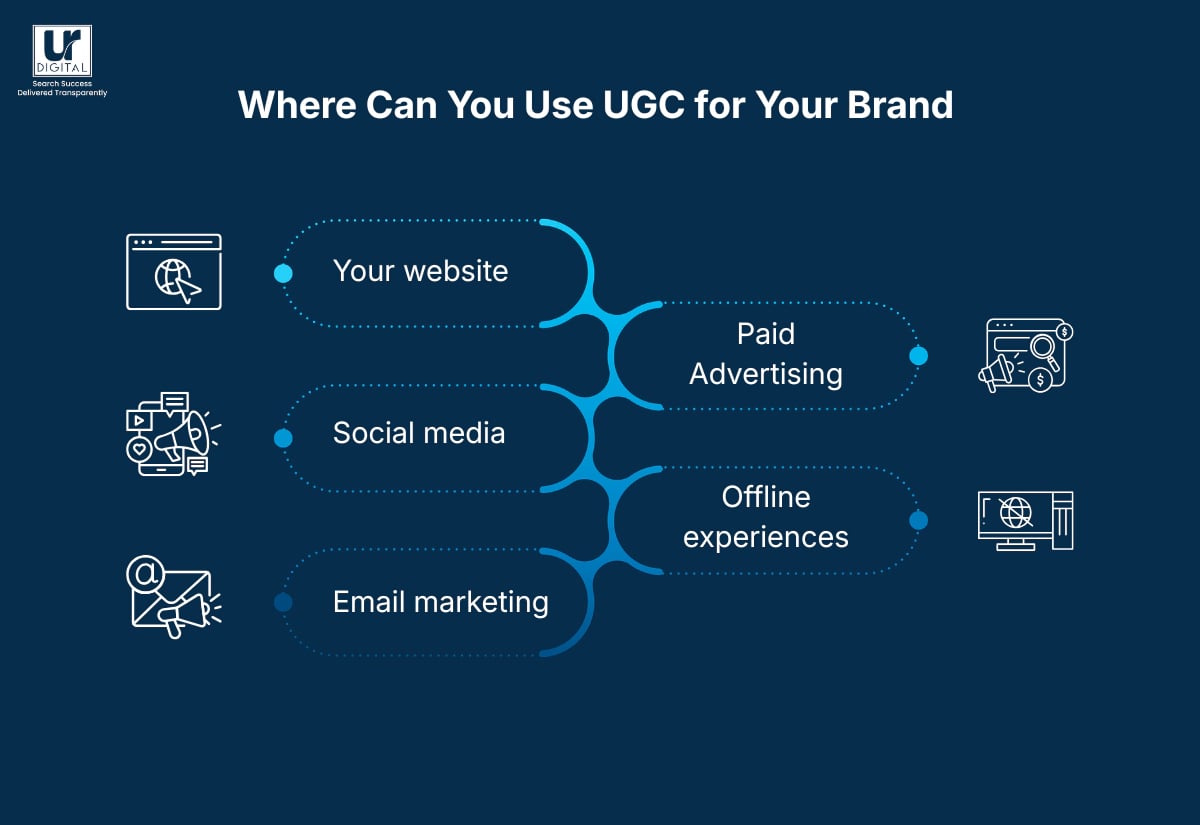
You can use UGC content on your website, social media, email marketing, paid advertising, and offline experiences.
1. On your website
- Product pages: reviews, star ratings, before/after photos, social media grid
- Landing pages: testimonial blocks, case studies
- Home page: social proof carousel
- Blog content: embedding customer videos or quotes
- FAQ pages: real customer questions and answers pulled from reviews or comments
2. On social media
You can use UGC content on social media. For example:
- Reposting customer videos and images.
- Creating Reels/TikToks from customer clips.
- Featuring “Customer of the Week” highlights to build community engagement.
- Turning positive comments or reviews into branded quote graphics for Stories or posts.
- Posting customer “day-in-the-life” clips that show how your product fits into real routines.
- Adding UGC clips to carousel posts to show different customer experiences in one post.
Want more UGC content ideas and strategies? Download our free UGC Content Guide: 20 Ideas, Strategies & Examples!
[text_lm]
3. In email marketing
Some ways to effectively use UGC content in email marketing are:
- Inserting screenshots of real customer reviews in sales emails to boost credibility.
- Featuring a curated collage of customer photos in seasonal or milestone newsletters.
- Display customer-submitted recipes, routines, or hacks if your product allows for creative use.
- Embed a TikTok or Reel made by a customer (or link to it) in product announcement emails.
- Use UGC screenshots (tweets, comments, reviews) in product comparison emails.
4. Paid advertising
Few strategies to use UGC content in paid advertising are:
- Ads built from customer reels, demos, or reviews
- Customer unboxing clips adapted for TikTok, Meta, or YouTube Shorts ads
- Side-by-side comparisons filmed by customers showing why they switched to your brand.
- Before-and-after videos for performance or transformation-based products
- Native-style ads that look like everyday creator videos rather than polished brand assets
[image_lm]
5. In offline experiences
- Event screens Display real customer posts.
- Brochures and printed materials: Feature customer testimonials.
- In-store digital displays: Show live social posts or customer highlights.
- Trade show booths: UGC video loops or customer stories
- Printed signage: Authentic quotes or mini case
Best Practices while Using UGC Content
- Add Subtitles for Clarity: Add subtitles to UGC videos to improve accessibility and increase watch-time, especially for users watching without sound.
- Credit the Creator: Tag or mention creators when reposting content to build trust and encourage more users to share their experiences.
- Create Highlight Reels: Combine multiple UGC clips into short, engaging highlight videos for ads, landing pages, or social media.
- Use Reviews as Overlays: Turn customer reviews into on-screen text in videos to reinforce credibility and add context quickly.
- Prioritise Face-to-Camera Content: Use clips where customers speak directly—these tend to feel more authentic and convert better.
- Check Music Rights: Avoid reposting content with copyrighted music unless you have permission or proper usage rights.
- Match Platform Formats: Adapt UGC to suit each platform (vertical for Reels/Shorts, square or horizontal where needed).
- Refresh Content Regularly: Rotate UGC frequently to prevent fatigue and keep your content feeling current and relevant.
- Place Near Conversion Points: Use UGC close to CTAs, pricing sections, or checkout pages to build trust at key decision moments.
[text_lm]
Common Mistakes to Avoid
- Posting Everything Without Filtering: Not all UGC is valuable. Sharing every tagged post can dilute your brand and reduce content quality.
- Over-Editing the Content: Heavy edits can strip away authenticity. If it starts to feel like an ad, it defeats the purpose of UGC.
- Skipping Permission and Rights: Reposting without clear permission can lead to legal issues and damage trust with your audience.
- Lacking Context: UGC without explanation can confuse users. Always show why the content matters and how it’s relevant.
- Relying Only on Influencer Content: Focusing only on polished influencer-style content ignores everyday customers, who often feel more relatable and trustworthy.
- Keeping UGC Limited to social media: UGC shouldn’t live only on social platforms—use it across your website, emails, ads, and offline touchpoints.
- Using Outdated Content: Old UGC that no longer reflects your product, pricing, or experience can mislead users and harm credibility.
- Ignoring Negative or Neutral Feedback: Not all UGC will be positive. Ignoring balanced feedback means missing opportunities to improve trust and transparency.
- Measuring Vanity Metrics Only: Likes and shares don’t tell the full story. Focus on impact—engagement quality, trust signals, and conversions.
Conclusion
After learning how to use UGC, the next step is to choose one product, campaign, or service and test UGC there. Measure how it performs compared to your existing content. Once you see the impact, expand to more areas. This approach helps you build momentum without overwhelming your team.
At UR Digital, we can help you enhance UGC’s impact by fixing important elements for visibility—whether that’s strengthening key pages for SEO, adding trust signals that support digital PR, or improving how your brand shows up in the app stores. If you’re ready to see real results and ensure your brand gets better visibility, contact us today.
FAQs
What’s the best way to organise UGC?
Create a UGC library on a shared platform like Google Drive, Airtable, or Notion. Tag each asset with details like product, creator name, usage rights, and format. This makes it easy to reuse content across your website, social, email, and ads.
How often should I update my UGC?
Ideally every month, especially for high-traffic pages and active ad campaigns. Fresh UGC keeps your content relevant and prevents ad fatigue. Regular updates also help show your audience that your brand is active and trusted by real customers.
Can service-based businesses use UGC too?
Yes—UGC isn’t limited to products. Service businesses can use testimonials, client stories, before-and-after results, case studies, and customer feedback. Anything that shows real outcomes helps build trust.
Do I need professional creators for UGC?
Not always. Organic customer content often performs just as well—sometimes better—because it feels real. However, UGC creators can be useful when you need specific formats, consistent quality, or a larger volume of content.
Should I edit UGC before posting it?
Light editing is fine — cropping, adding captions, colour correction, or adding text overlays. Avoid altering the message or making the creator’s results look exaggerated, as it can feel misleading.
How do I use UGC on my website for higher conversions?
Add customer review blocks, before/after images, or short video clips to product pages, landing pages, and FAQs. Place UGC close to CTAs to reinforce trust at key decision moments.
What should I avoid when using UGC?
Avoid low-resolution content, misleading edits, and videos that use copyrighted music without approval. Never repost UGC featuring minors without verified parental consent.
What should I look for when selecting UGC for landing pages?
Choose UGC that feels trustworthy, visually clear, and directly related to the page topic. For example, a comparison landing page should include UGC where customers explain why they switched to your product.
Disclaimer
The contents of this blog are for informational and educational purposes only. They do not constitute professional SEO, GEO, AEO, ASO, or digital PR advice and should not be relied upon as such. We recommend consulting with an SEO expert before implementing any strategies. UR Digital accepts no responsibility or liability for any outcomes resulting from actions taken in reliance on the information contained in this content. Links to third-party websites are provided for reference purposes only. We do not endorse or guarantee the accuracy, relevance, or completeness of their content.