HTTPS is essential for modern SEO because it protects user data, improves trust, enables faster web technologies, and acts as a Google ranking signal. A secure website supports better performance, cleaner analytics, stronger crawlability, and improved user engagement — all of which contribute to higher search visibility and long-term website credibility.
Introduction
Many businesses invest heavily in SEO, content, and paid traffic while overlooking one of the most important foundations of online visibility: website security.
Google no longer treats HTTPS and web security as optional technical extras. Security directly influences how search engines crawl, rank, and trust your website. It also affects user confidence, conversion behaviour, site performance, analytics accuracy, and your brand’s overall credibility online.
For directors, marketing teams, and SEO professionals, this creates a growing challenge. A website may have strong content and a solid SEO strategy, but unresolved security issues can still limit visibility, reduce engagement, and weaken long-term growth.
This guide explains how web security impacts SEO performance, why HTTPS matters beyond basic encryption, and what businesses should review to protect both their rankings and their brand reputation.
[image_lm]
What is HTTPS and How Does It Work?
HTTPS is the secure version of HTTP — it protects the data being sent between a user’s browser and your website. When a site uses HTTPS, information like logins, contact forms, and payment details is encrypted, which helps prevent it from being intercepted or tampered with.
In simple terms, HTTPS works by using an SSL/TLS certificate to verify your site’s identity and create a secure connection. This reassures both users and search engines that your site can be trusted.
Google’s Official Position on HTTPS
Google strongly endorses HTTPS as a web standard — not just for pages handling sensitive data, but for all web traffic.
- According to the Google Transparency Report, Google aims for 100% encryption across its products and services, underscoring that “security is a top priority at Google.”
- The report explains that HTTPS uses SSL/TLS encryption to protect the connection between a user’s browser and websites — ensuring data security.
- Google argues that HTTPS is critical even for sites without sensitive transactions: it protects the site’s integrity, secures user privacy, and enables modern web features that plain HTTP does not support.
- From an SEO standpoint, Google prefers indexing and ranking the HTTPS version of a page when both HTTP and HTTPS exist.
[text_lm]
Direct SEO Benefits of HTTPS
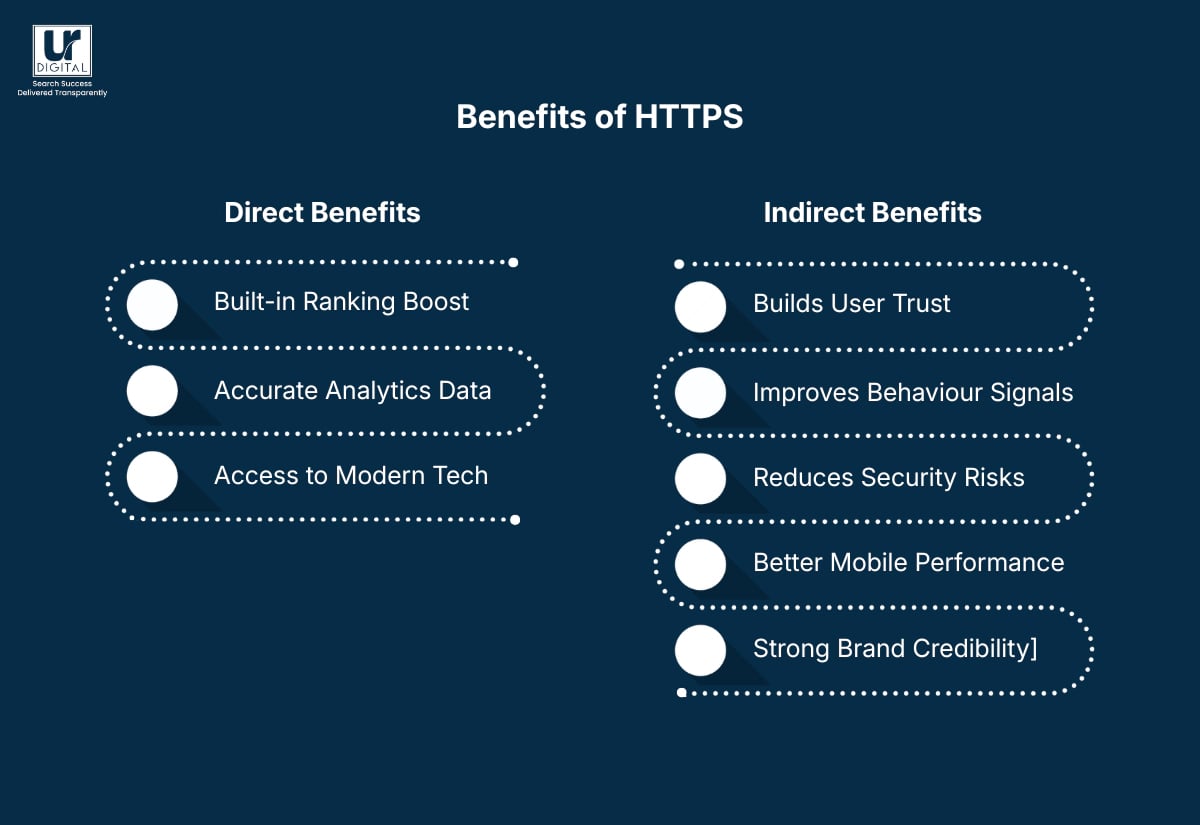
1. A built-In ranking boost
When two pages offer similar content and authority, the one using HTTPS is more likely to get the edge.
What this means for SEO:
- A small but meaningful ranking boost
- Stronger trust signals for Google
- A competitive advantage in tight search results
2. More accurate analytics data
Without HTTPS, your referral traffic often gets mislabelled as “Direct,” which makes your reports messy and misleading. HTTPS keeps that data intact so you know exactly where your visitors are coming from.
Why this matters:
- Clearer understanding of traffic sources
- Better insights into campaign performance
- More accurate reporting for SEO decisions
3. Access to faster, modern web technologies
Many performance features only work on secure connections. HTTPS unlocks these by default.
Key improvements include:
- HTTP/2 for faster loading
- Better browser caching
- Support for service workers and PWAs
- Enhanced Core Web Vitals
These upgrades help improve your Core Web Vitals, which directly influence your rankings. The end result is a faster, more stable site that search engines (and users) prefer.
Want a quick checklist to enhance web security? Download our free Web Security Checklist today.
[image_lm]
Indirect Benefits of HTTPS
1. Builds user trust
Visitors feel safer on secure sites, which reduces bounce rates and encourages deeper browsing.
2. Improves user behaviour signals
HTTPS boosts confidence in forms, sign-ups, and checkouts — leading to better engagement and conversions.
3. Reduces risk of security issues
Secure connections lower the chance of hacks or data interception, helping you avoid sudden ranking drops or Search Console warnings.
4. Supports better mobile performance
HTTPS enables modern mobile technologies that improve loading speed and Core Web Vitals.
5. Strengthens brand credibility
A secure site feels more trustworthy, which can lead to more clicks, more return visits, and more natural backlinks over time.
Want a quick checklist to enhance web security? Download our free Web Security Checklist today.
[text_lm]
HTTPS Requirements for Advanced SEO Features
Many of Google’s most powerful modern SEO features rely on HTTPS to function properly. Without a secure site, you miss out on performance enhancements, richer search features, and technologies that improve user experience — all of which contribute to better visibility in search.
Key SEO capabilities that require or strongly prefer HTTPS include
1. HTTP/2 and improved performance
HTTP/2 — supported only over HTTPS in major browsers — speeds up page delivery through multiplexing, header compression, and prioritisation. Faster performance directly supports Core Web Vitals and overall rankings.
2. Core Web Vitals accuracy and stability
Mixed-content issues on HTTP pages can block scripts, styles, and images, impacting CLS, FID/TBT, and LCP. HTTPS ensures stable resource loading, enabling accurate Core Web Vitals measurement.
3. Progressive Web Apps (PWAs)
PWAs require HTTPS to enable service workers, offline caching, push notifications, and app-like functionality. Without HTTPS, your site cannot qualify as a fully functional PWA.
4. AMP (Accelerated Mobile Pages)
AMP documents must be served over HTTPS to meet Google’s requirements and ensure secure, consistent loading from the AMP cache.
5. Secure browser features and APIs
Many modern browser capabilities — such as geolocation, local storage, device sensors, and payment request APIs — only work on secure origins. These features enhance UX and can improve engagement signals important to SEO.
6. Better crawlability and indexing stability
HTTPS eliminates mixed-content blocks and redirect chains that slow down Googlebot. Google also prefers indexing the HTTPS version when both exist, making a secure setup vital for clean crawling.
7. Improved data accuracy in analytics
HTTPS preserves referral data when users move between secure sites. HTTP sites often lose referral information, which can distort attribution and undermine SEO decision-making.
Want a quick checklist to enhance web security? Download our free Web Security Checklist today.
[image_lm]
Common Myths about HTTPS
1. MYTH: HTTPS slows down your website.
Reality: This was true many years ago, but not anymore. Modern SSL/TLS is fast, and HTTPS actually enables technologies like HTTP/2 that speed up websites. HTTPS can improve performance, not hurt it.
2. MYTH: HTTPS is only for e-commerce or login pages.
Reality: HTTPS is essential for all websites, not just those handling payments.
3. MYTH: HTTPS is expensive or difficult to set up.
Reality: SSL certificates are now widely available and many hosting providers offer them for free. Installation is usually quick, and renewals can be automated. HTTPS is affordable, easy to implement, and standard across most platforms.
4. MYTH: HTTPS guarantees full website security.
Reality: HTTPS encrypts data in transit, but it doesn’t protect against hacks, malware, or vulnerabilities inside your website. HTTPS is one part of security, not a complete solution.
5. MYTH: Migrating to HTTPS will hurt my rankings.
Reality: A poorly handled migration can cause issues, but when done correctly, Google encourages moving to HTTPS and rewards it as a ranking signal. A proper HTTPS migration protects your rankings and can even improve them.
6. MYTH: Encryption is only needed when you have compliance obligations.
Reality: Any organisation handling sensitive, competitive, customer, employee, or internal data should use encryption — not just those bound by regulations. If the information matters to your business, it should be encrypted.
7. MYTH: SSL encrypts all of your data everywhere.
Reality: SSL/TLS only protects data while it’s moving between systems. It does not secure data stored on your server or database. Data at rest still needs its own protection layer.
8. MYTH: Encryption is too complex and resource-intensive to manage.
Reality: Encryption doesn’t have to be difficult. When you know which data needs protection, where it lives, and who should have access, encryption becomes a manageable and straightforward security practice.
9. MYTH: Encrypted data is automatically secure.
Reality: Encryption is only as strong as your key management. If encryption keys are stored on the same server as the data — or poorly controlled — your encrypted information is still at risk. Strong policies and proper key handling are essential.
10. MYTH: Encrypted data can’t be stolen.
Reality: No security solution is perfect. Encrypted data can still be stolen — but without the decryption key, it’s far less useful to attackers. Encryption reduces the impact of a breach but doesn’t prevent one entirely.
11. MYTH: HTTPS prevents caching.
Reality: HTTPS sites can be cached just like HTTP ones. You simply need to use the right response headers to let the browser know what’s safe to store.
Want a quick checklist to enhance web security? Download our free Web Security Checklist today.
[text_lm]
How to Move from HTTP to HTTPS
Following is the process to move from HTTP to HTTPS:
Step 1: Get an SSL certificate
Most hosting providers now offer free SSL certificates (often through Let’s Encrypt). Installing one usually takes just a click or a quick support request.
Step 2: Enable HTTPS on your server
Your hosting platform will guide you here. Once the certificate is active, you turn on HTTPS so your site can serve encrypted pages.
Step 3: Set up 301 redirects from HTTP to HTTPS
This step tells Google and users that your secure URL is now the official one. It preserves your rankings and prevents duplicate content issues.
Step 4: Update internal links and resources
Make sure your images, scripts, forms, and internal links all point to HTTPS. This avoids “mixed content” warnings that can block page elements.
Step 5: Check your sitemap and robots.txt
Update your sitemap with HTTPS URLs and submit it to Google Search Console. Make sure nothing in robots.txt accidentally blocks secure pages.
Step 6: Update your third-party tools
Analytics, ads, social tools, and plugins often store your site URL. Updating them helps maintain clean tracking and accurate data.
Step 7: Test everything
Use tools like WhyNoPadlock, SSL Labs, or your hosting dashboard to check for errors, insecure elements, or redirect loops.
Once your migration is complete, Google will start indexing your secure pages, users will trust your site more, and you’ll unlock better performance features like HTTP/2 and more stable Core Web Vitals. It’s a one-time project that pays off long-term for both security and SEO.
[image_lm]
Conclusion
Understanding HTTPS is just the first stage — the next step is ensuring your setup genuinely supports strong SEO performance. Even after switching to HTTPS, many websites still face hidden issues like mixed content, redirect errors, or outdated configurations that quietly impact visibility and user trust.
A focused SEO review can highlight what’s holding your site back and reveal the quickest opportunities for improvement. UR Digital can help you build a strategy that strengthens your technical foundation and boosts your search visibility. If you’re ready to take the next step, get in touch with us today.
FAQs
What are the disadvantages of using HTTPS?
The primary disadvantages of HTTPS are a slight increase in computational overhead due to the encryption and decryption processes (the TLS handshake). Some other disadvantages are added administrative complexity involving the cost, maintenance, and mandatory renewal of SSL/TLS certificates. However, for modern applications, these drawbacks are almost entirely negligible compared to the essential security and SEO benefits.
What does HTTPS not prevent?
HTTPS only protects data in transit, meaning it doesn’t stop malware, phishing, weak passwords, or vulnerabilities inside a website’s code. It also can’t stop someone from accessing your device or network. It simply ensures the connection between you and the website is encrypted.
How can I tell if a site is using HTTPS?
Look for the padlock icon in the browser’s address bar, followed by “https://” in the URL. Most browsers also show warnings when a site is not secure, making it easy to spot the difference.
Can HTTPS sites be tracked?
Yes, websites can still track visits through analytics tools, cookies, and ads. HTTPS doesn’t stop tracking — it only protects the connection from being intercepted or tampered with.
Can fake websites use HTTPS?
Yes, fake or malicious websites can still install SSL certificates and display the padlock icon. That’s why you should always check the domain name carefully rather than relying on the padlock alone.
Am I 100% safe using an HTTPS URL?
No, HTTPS greatly improves safety, but it doesn’t eliminate all risks. It protects your connection but can’t stop scams, malware, or phishing if the site itself is malicious.
Do I need a VPN if I use HTTPS?
Not necessarily, but using a VPN is beneficial. While HTTPS protects your connection to each website, a VPN protects all your internet traffic and hides your location. This results in an extra layer of privacy.
Who issues HTTPS certificates?
Certificates are issued by Certificate Authorities (CAs), which are trusted organisations like Let’s Encrypt, DigiCert, and GlobalSign. Your hosting provider often handles this automatically.
What happens when a HTTPS certificate expires?
When a certificate expires, browsers stop trusting the site and will show a warning like “Your connection is not private.” The site will still load, but users may avoid it until the certificate is renewed.