Website structure shapes how easily search engines and users navigate your website. A clear, logical structure improves crawlability, indexing, internal linking, and user experience. By organising pages effectively and fixing common issues, you can strengthen rankings, surface important content, and improve overall SEO performance without rewriting existing pages. If you have a terrible structure and good content, it won’t save your SEO.
Introduction
A well-planned site architecture is the foundation of a healthy, high-performing website. It guides crawlers, supports internal linking, and helps your most important pages stand out. If the structure is messy, even great content can struggle to rank.
In this article, we’ll explore why site architecture matters and what you can do to strengthen it.
[image_lm]
What Is Website Structure in SEO?
Site structure is the way your website’s pages are organised and connected. It covers how your content is grouped, how your menus are structured, how URLs are arranged, and how users and search engines move through the site.
Why Site Structure is Critical for SEO
Site structure directly affects how your website is understood, and ranked.
A clear structure helps search engines crawl your pages efficiently, understand how content is connected, and prioritise what matters most. At the same time, it makes navigation easier for users—reducing frustration and improving engagement.
Here’s what strong site architecture does:
- Improves crawlability: Search engines can easily find and access all important pages without getting lost in unnecessary layers.
- Supports better indexing: A logical structure ensures key pages are recognised, indexed, and surfaced in search results.
- Strengthens internal linking: Clear pathways between pages help distribute authority and highlight priority content.
- Enhances user experience: Simple navigation reduces friction, keeps users engaged, and lowers bounce rates.
- Clarifies content relationships: Well-organised categories and links help Google understand how topics connect, improving relevance.
- Reduces duplication issues: Clean structures minimise overlapping pages, tags, and filters that can dilute SEO signals.
- Supports scalability: A structured site is easier to expand without creating confusion or technical issues.
- Enhances Stickiness: Clean structures help your users to find the information they came for and encourages action. With internal linking they can explore other pages of the site, which increases stickiness. Both actions and stickiness are very important UX signals according to Google.
[text_lm]
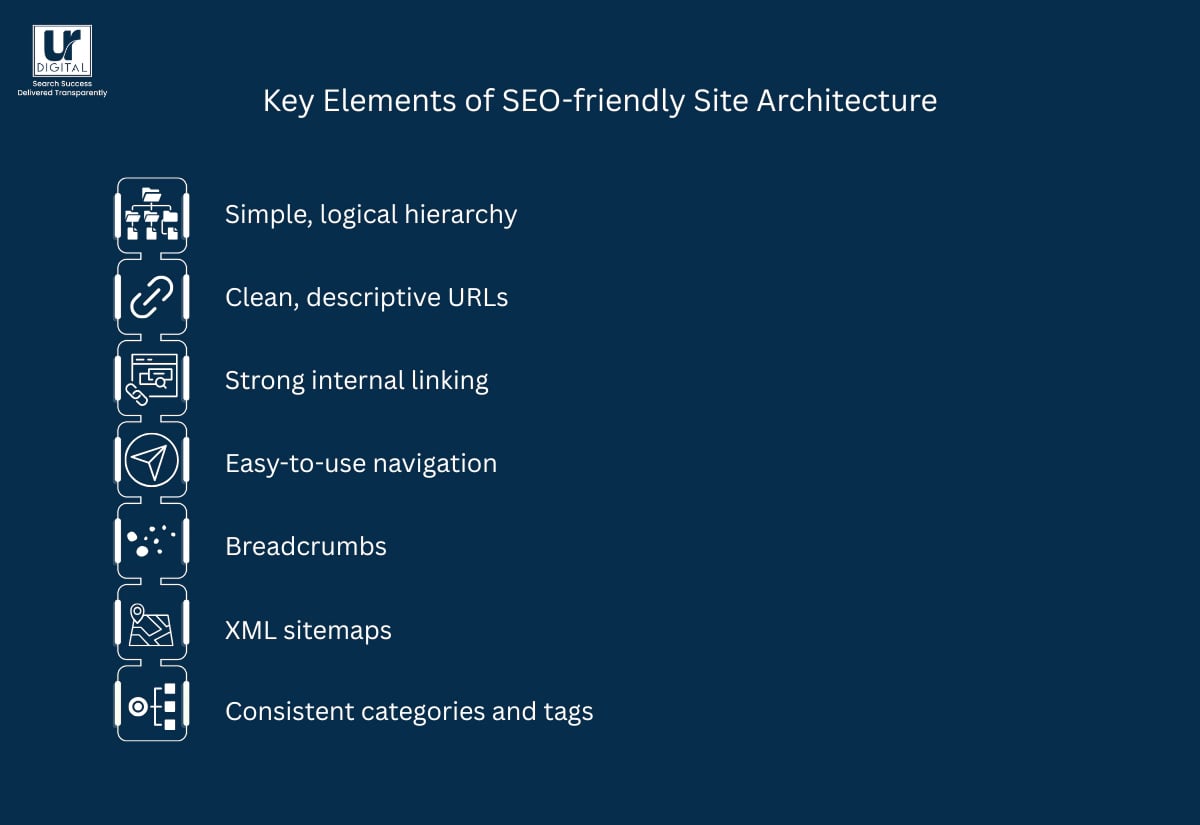
7 Key Elements of SEO-friendly Structure
1. A simple, Logical Hierarchy
Your pages should naturally flow from broad to specific. For example: Home → Category → Subcategory → Article/Product. This helps users know where they are and helps search engines recognise which pages are most important.
Best Practices
- Place all key service/product pages no more than 2–3 clicks from the homepage.
- Use one primary category per page (e.g., place “Technical SEO Guide” under Blog → SEO, not in multiple folders).
- Move low-traffic or outdated subpages into clearer parent categories to reduce unnecessary depth.
2. Clean, descriptive URLs
URLs should show where a page belongs in the structure (e.g., /services/seo/site-audit). Clear URLs tell both users and Google what a page is about before they even click.
Best Practices
- Format URLs as: /category/subcategory/page-name (e.g., /services/seo/technical-audit).
- Remove date-based structures unless required (e.g., change /2021/05/seo-tips to /blog/seo-tips).
- Replace cryptic IDs (e.g., /page?id=123) with meaningful slugs (/contact-us).
3. Strong internal linking
Good internal linking ties your pages together. It prevents important pages from getting buried, guides users to related content, and gives Google clear signals about which pages hold more weight.
Best Practices
- Add internal links from every new blog post to at least 2 high-value pages (e.g., your main service pages).
- Use specific anchor text such as “SEO audit checklist” instead of “read more.”
- Update older posts quarterly by adding links to newer, relevant content and spread link juice.
4. Easy-to-use navigation
Your menus should make sense immediately. If people have to dig or guess where something is, Google will struggle too. Simple top-level menus and consistent navigation patterns help both.
Best Practices
- Limit your top-level navigation to 5–7 items and name them using real user terms (e.g., “Services,” not “Solutions”).
- Remove dropdown items with fewer than 2 live pages, as they create unnecessary noise.
- Keep mobile and desktop navigation identical so users don’t have to relearn the menu.
[image_lm]
5. Breadcrumbs for orientation
Breadcrumbs show the path back through your site (e.g., Home → Blog → SEO → This Article). They reduce confusion for users and give search engines extra context about page relationships.
6. XML sitemaps to support crawling
While not a replacement for good structure, XML sitemaps help search engines confirm what pages exist and should be indexed — especially useful for large or frequently updated sites.
Best Practices
- Include only indexable pages — remove /thank-you, /cart, /login, redirects, and 404s.
- Create separate sitemaps for large sites (e.g., /blog-sitemap.xml, /services-sitemap.xml).
- Set the sitemap to auto-update when new pages are published and submit it directly in Google Search Console.
7. Consistent use of categories and tags
Clear categorisation keeps related content grouped together, avoids overlap, and helps Google understand your site’s main themes.
Best Practices
- Keep category count manageable (e.g., 6–12 max) and assign each page to only one primary category.
- Delete tags with fewer than 3 posts to avoid thin tag archives.
- Consolidate overlapping categories (e.g., merge “SEO Tips” and “SEO Guides” into a single “SEO” category).
7 Site Architecture Mistakes that Hurt SEO
- Orphan pages: Pages with no internal links pointing to them, making them difficult for Google to discover and index.
- Excessive click depth: Important pages buried several levels deep, reducing their visibility and priority in search.
- Inconsistent URL structure: Using different formats or folder patterns across the site, which makes it harder for crawlers to understand relationships between pages.
- Weak internal linking: Not linking related pages together, which limits the flow of authority and makes content harder for users to navigate.
- Overloaded navigation menus: Too many top-level items or unclear grouping, which dilutes hierarchy and confuses visitors.
- Duplicate or overlapping categories: Multiple sections covering similar topics, causing thin content clusters and mixed ranking signals.
- Redirect chains and broken links: Unnecessary redirects and outdated internal links that waste crawl budget and create a poor user experience.
[text_lm]
5 Ways to Audit Your Current Site Architecture
1. Crawl Your Site
- Using tools like Screaming Frog (free for 500 URLs), Ahrefs (paid), Google Search Console (free). As a SEO agency we have access to many paid tools, but my recommendation, use Bing Webmaster Tools as it has an inbuilt Site Audit tool and is completely free.
- List your pages and identify issues like orphan pages, broken internal links, duplicate categories, and pages buried too deep.
- Spot duplicate or overlapping categories, tag pages, or filters that may create multiple URLs targeting the same topic.
2. Review Navigation and Menus
- Make sure items in the menu are logical and intuitive, not overloaded with unnecessary links.
- Review your footer menu and fix any broken links, typos, and other issues.
- Look for sections where users must click through multiple layers unnecessarily — simplify where possible.
3. Examine URL Structure
- Review URL paths for consistency — e.g., /services/employment-law/ vs /service/employment-law.html.
- Identify URLs that are too long, contain unnecessary parameters, or sit inside multiple nested folders.
4. Analyse Internal Linking
- Use crawl data to find pages with low or no internal links. These pages won’t receive enough authority flow and may struggle to rank.
- Check that pillar or category pages link to all related articles/products and vice versa — this creates strong topic clusters.
- Identify pages that attract natural backlinks — ensure they link to other important content to maximise authority distribution.
- Review contextual links inside body copy: these help Google understand relationships between topics.
- Add or improve breadcrumb navigation, which reinforces hierarchy and adds extra internal links automatically.
5. Check Indexation and Sitemaps
- Review your Google Search Console Coverage report to see which pages are indexed, excluded, or flagged with errors.
- Ensure your XML sitemap only includes valuable, indexable pages — no duplicates, no thin content, no staging URLs.
Remove or no index:
- Thin or outdated content
- Duplicate category/tag pages
- Parameter-based URLs
- Pagination or filter URLs (if not needed for search)
Also:
- Check that each indexed page has a clear purpose and is linked from somewhere meaningful on the site.
- Confirm that the sitemap reflects your real content structure — if it doesn’t, fix the sitemap or the architecture.
Conclusion
Once you understand how site architecture affects SEO, the next step is to audit what you already have. Look for pages buried too deep, broken internal links, and categories that no longer make sense. Addressing these issues can unlock quick improvements in visibility and rankings.
UR Digital can guide you through each stage of this process with a clear, structured plan. Contact us to learn more about the value we can add and book a free consultation today.
[image_lm]
FAQs
Does website design affect SEO?
Yes, website design affects SEO because it shapes how users navigate your site and how easily search engines can crawl it. A clean layout, fast load times, and mobile-friendly design all contribute to better rankings and stronger engagement.
How are sitemaps important for the SEO process?
Sitemaps help search engines discover and understand your site’s pages, especially on large or frequently updated websites. They don’t replace good structure, but they give crawlers a reliable list of what should be indexed.
How to optimise your site structure for maximum SEO impact?
Start by creating a simple hierarchy, keeping important pages close to the homepage, and organising content into clear categories. Strengthen internal links, use consistent URLs, and remove or merge pages that add little value. Together, these steps make your content easier for users and search engines to navigate. Best example I can give you, think of your website as YellowPages, remember those books we used to get outside our houses, that is the level of clean organisation you need.
What role does website design and layout play in SEO?
Design and layout influence how easily people can browse your site and how well search engines interpret it. Good design reduces friction, improves engagement, and supports crawlability — all of which contribute to better ranking potential.
How to redesign your website without losing SEO rankings?
Begin by mapping your current URLs and redirecting any changes with proper 301 redirects. Keep your core structure, internal links, and high-performing content intact, then test everything before launching. This preserves your existing authority while allowing you to modernise the site.
How often should you review your site architecture?
A full review once or twice a year is ideal, especially for growing sites. Regular checks help you catch duplicate categories, redirect chains, and pages that have become buried.
Does a flat site architecture help SEO?
Yes. A relatively flat structure — where most pages sit only a few clicks from the homepage — improves crawl efficiency and helps important content get seen more often.
What tools can help identify architecture issues?
Tools like Screaming Frog, Google Search Console, and Ahrefs can reveal orphan pages, broken internal links, redirect chains, and crawl depth problems.
How does poor architecture affect Core Web Vitals?
Disorganised pages often lead to heavier templates, inconsistent layouts, and slower loading times — all of which weaken Core Web Vital scores.
Can improving site architecture boost existing content without rewriting it?
Absolutely. Better internal linking, clearer categories, and improved navigation often increase traffic to old content simply by making it easier for Google to find and prioritise.
What happens if your homepage links to too many pages?
It dilutes authority and makes your hierarchy unclear. Prioritising only your most important pages keeps your structure strong and signals what matters most.
Disclaimer
The contents of this blog are for informational and educational purposes only. They do not constitute professional SEO, GEO, AEO, ASO, or digital PR advice and should not be relied upon as such. We recommend consulting with an SEO expert before implementing any strategies. UR Digital accepts no responsibility or liability for any outcomes resulting from actions taken in reliance on the information contained in this content. Links to third-party websites are provided for reference purposes only. We do not endorse or guarantee the accuracy, relevance, or completeness of their content.