Popups can help conversions, but when used poorly, they harm SEO by blocking content, frustrating users, and slowing page performance. Google penalises intrusive interstitials, especially on mobile. Using well-timed, non-intrusive popups with proper implementation helps balance user experience and SEO without negatively impacting rankings or visibility.
Introduction
Popups raise a big question for SEO-conscious business owners: are they doing more harm than good? The answer isn’t as simple as yes or no. It depends on how you use them—and how intrusive they are.
Google has been clear about the kinds of popups it dislikes, but there are also plenty of grey areas. This article breaks down how popups influence SEO and what you can do to keep both Google and users happy.
[image_lm]
What Google Says about Popups
Some types of popups or interstitials are considered reasonable — and allowed — even under Google’s rules. For example:
- Small notifications or banners for things like cookie consent, age verification, or login prompts.
- Elements that do not block the main content, or which allow users to dismiss easily and quickly.
In short: if the popup is unobtrusive — helps with compliance, or doesn’t prevent content access — Google tends to treat it as legitimate and safe.
What Google Flags as Problematic
On the other hand, popups that are considered “intrusive interstitials” can negatively affect your site’s SEO and rankings. These include — but are not limited to — popups that:
- Cover most or all of the page content immediately upon arrival (especially when coming from a search result).
- Force users to dismiss the popup (click “X” or a button) before they can view any of the underlying content.
- Are styled or structured to mimic a full-page interstitial — i.e. the first visible “fold” looks like a popup — even if underlying content exists below.
These kinds of popups create friction: the user can’t immediately access what they came for, which goes against Google’s emphasis on user experience.
As a result, pages using such popups may be penalised in mobile search results or even have reduced visibility.
[text_lm]
How Popups Affect SEO
Popups impact SEO primarily through the Intrusive Interstitial Penalty (IIP), mainly targeting mobile rankings.
1. Direct Ranking Loss
If a popup or interstitial immediately obscures the main content upon arrival (on mobile devices), Google classifies it as an intrusive interstitial. This is a direct negative ranking signal, causing the page to be demoted in mobile search results.
2. Poor User Experience (UX)
Obstructive popups increase the chance of a user immediately hitting the back button. This high short-click rate (pogo-sticking) signals poor content quality to Google, negatively affecting ranking over time.
3. Core Web Vitals
If the JavaScript required to load and display the popup is heavy, it can significantly slow down page load times (LCP and TBT), negatively impacting your Core Web Vitals score, which is a key ranking factor.
4. Negative Signal to Quality Raters
- Mechanism: Google uses human Search Quality Raters to evaluate sites. These raters look for high-quality content and excellent user experience (UX).
- Impact: If a rater encounters an aggressive, hard-to-dismiss popup, they can mark the site’s UX negatively, directly informing Google’s broader quality algorithms.
5. Content accessibility and indexing confusion
- Mechanism: While Google’s crawler is generally good at seeing the content behind a popup, complex, layered interstitials can occasionally confuse the indexing process.
- Impact: If the popup is poorly coded or loaded via a mechanism that temporarily hides the main HTML from the crawler, it can lead to confusion about the primary topic of the page, potentially hindering the page’s ability to rank for its target keywords.
6. Device-specific rendering issues (layout shifts)
- Mechanism: Popups often trigger sudden layout changes upon loading, especially if they push the underlying content down or resize the viewport.
- Impact: These unexpected shifts contribute negatively to the Cumulative Layout Shift (CLS) metric, which is a core component of Google’s ranking-critical Core Web Vitals. A high CLS score negatively affects overall SEO performance.
Popups can help—but only if they’re set up correctly.
[image_lm]
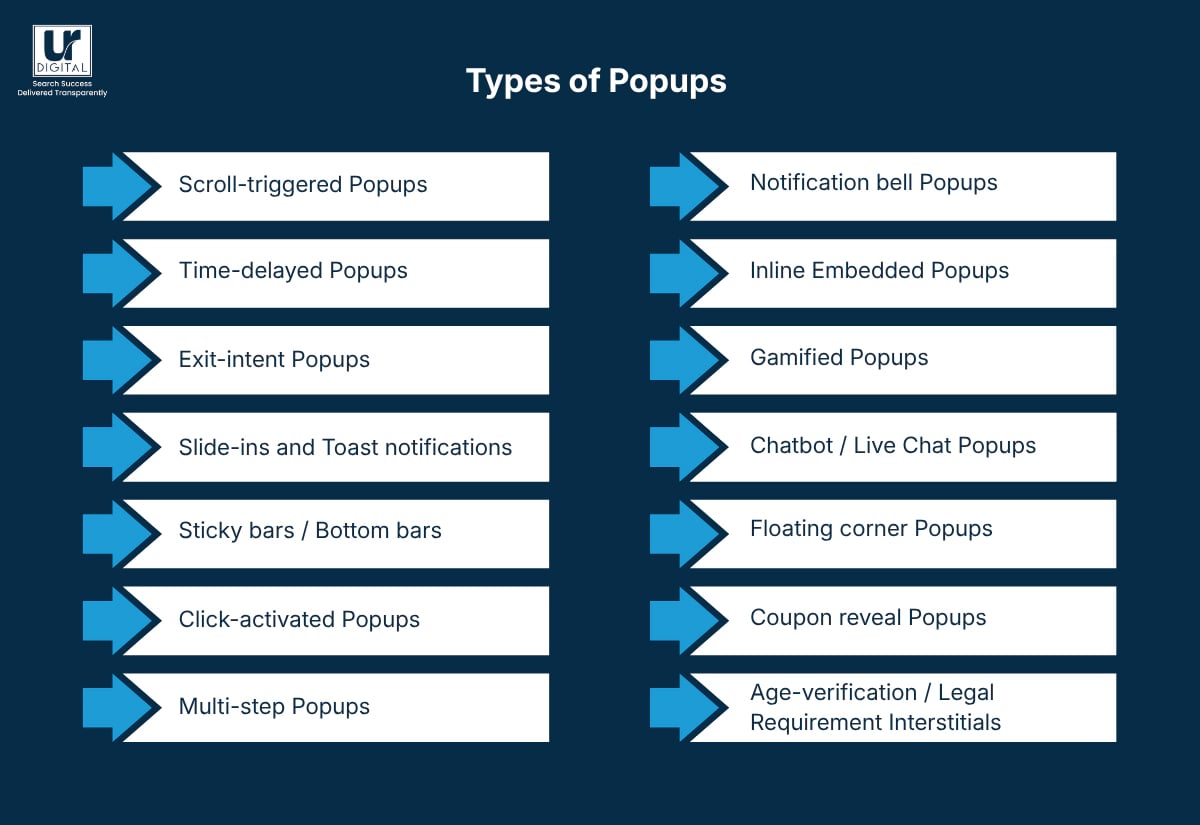
Types of Popups and their SEO Impact
1. Scroll-triggered popups
- These appear only after the user scrolls a certain amount down the page.
- SEO impact: Generally safe.
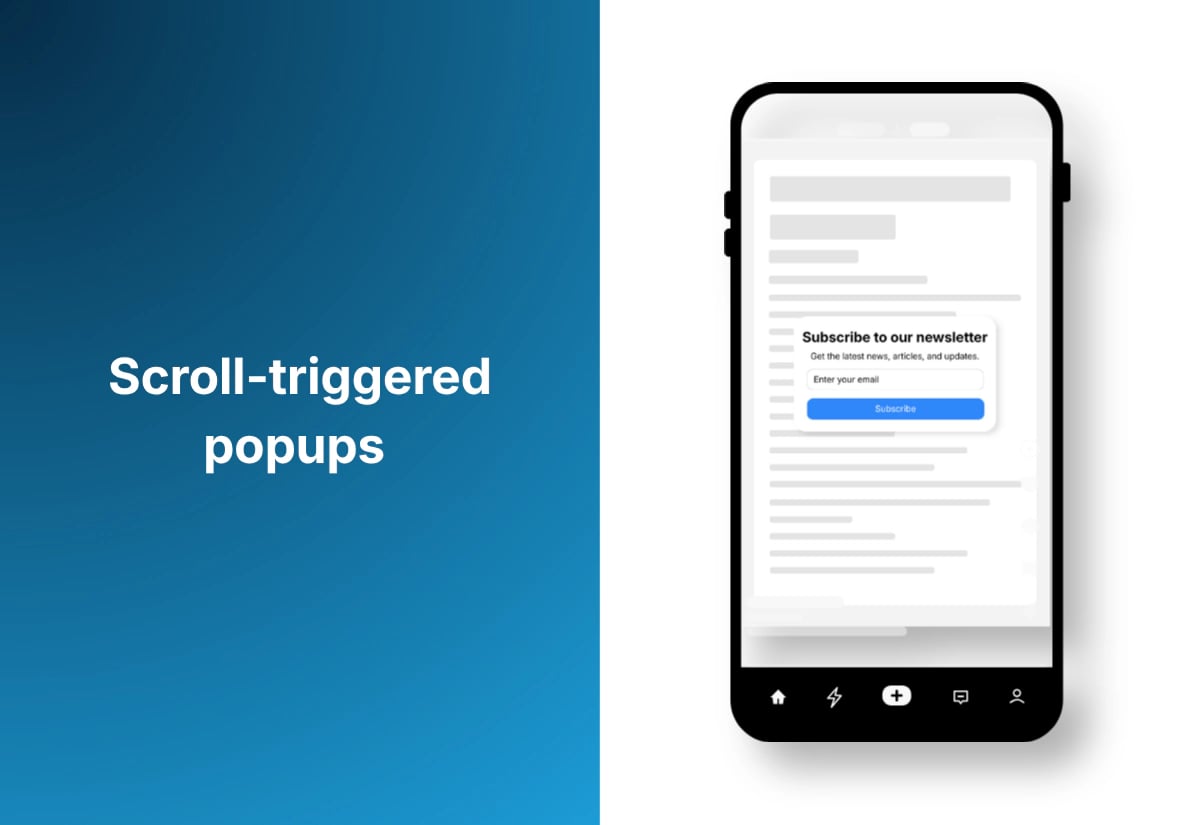
Because the user has already engaged with your content, these popups don’t interrupt initial access. They’re typically considered non-intrusive as long as they don’t cover the entire screen.
2. Time-delayed popups
- These show after a visitor has been on the page for a set time.
- SEO impact: Low risk.
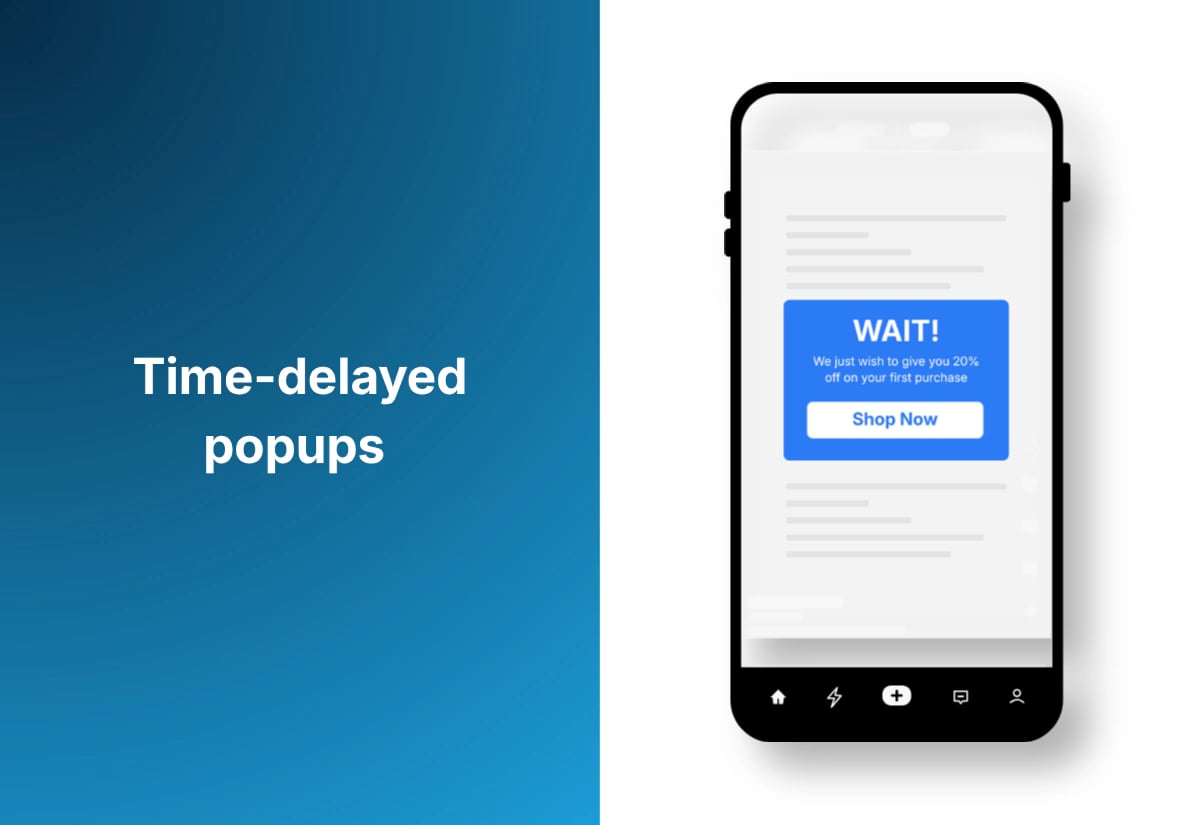
As long as the delay isn’t a few seconds after landing and the popup doesn’t dominate the screen, Google doesn’t consider it intrusive. They’re often safer on mobile because they respect the initial content load.
3. Exit-intent Popups
- Designed to appear when a user’s cursor moves toward the browser bar (mainly desktop).
- SEO impact: Low risk.
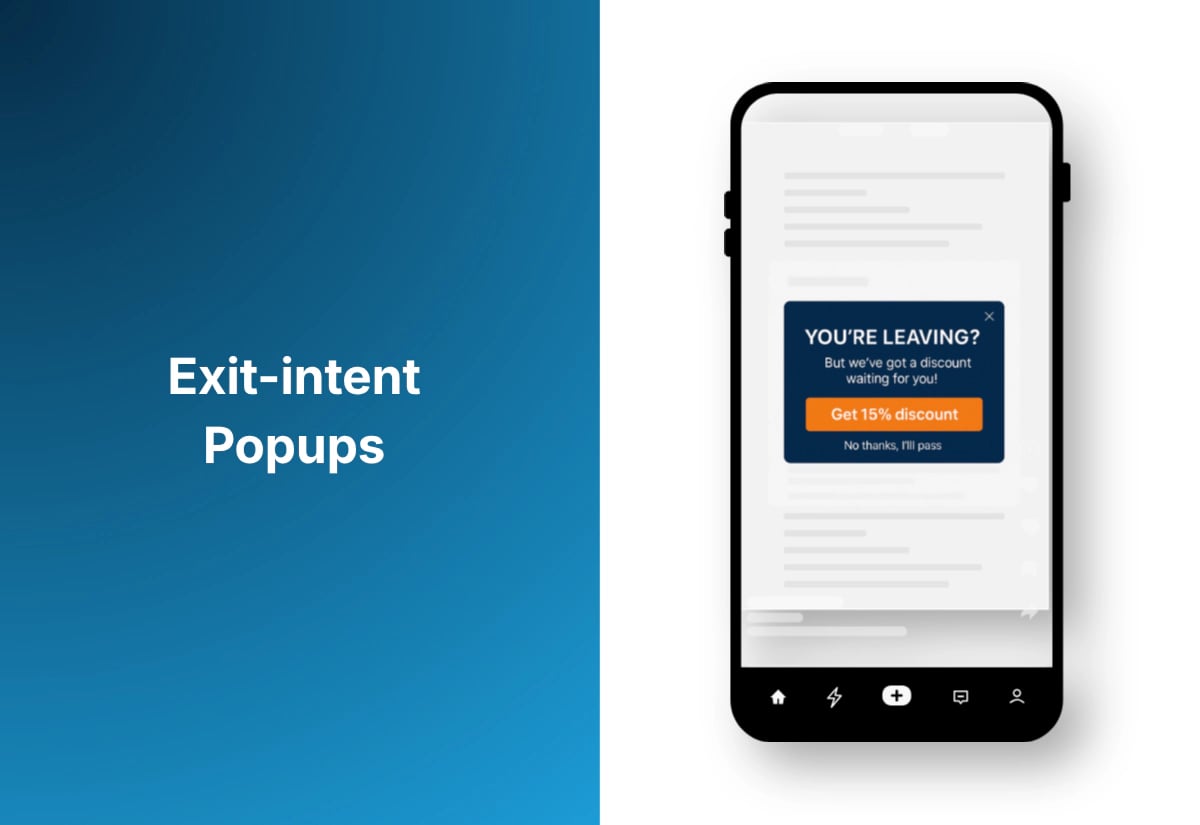
Because they trigger only when someone is about to leave, they don’t disrupt the primary content experience. Google is far less concerned about these since they don’t affect initial page access.
4. Slide-ins and toast notifications
- These are small boxes that slide in from the corner or bottom of the screen.
- SEO impact: Very low risk.
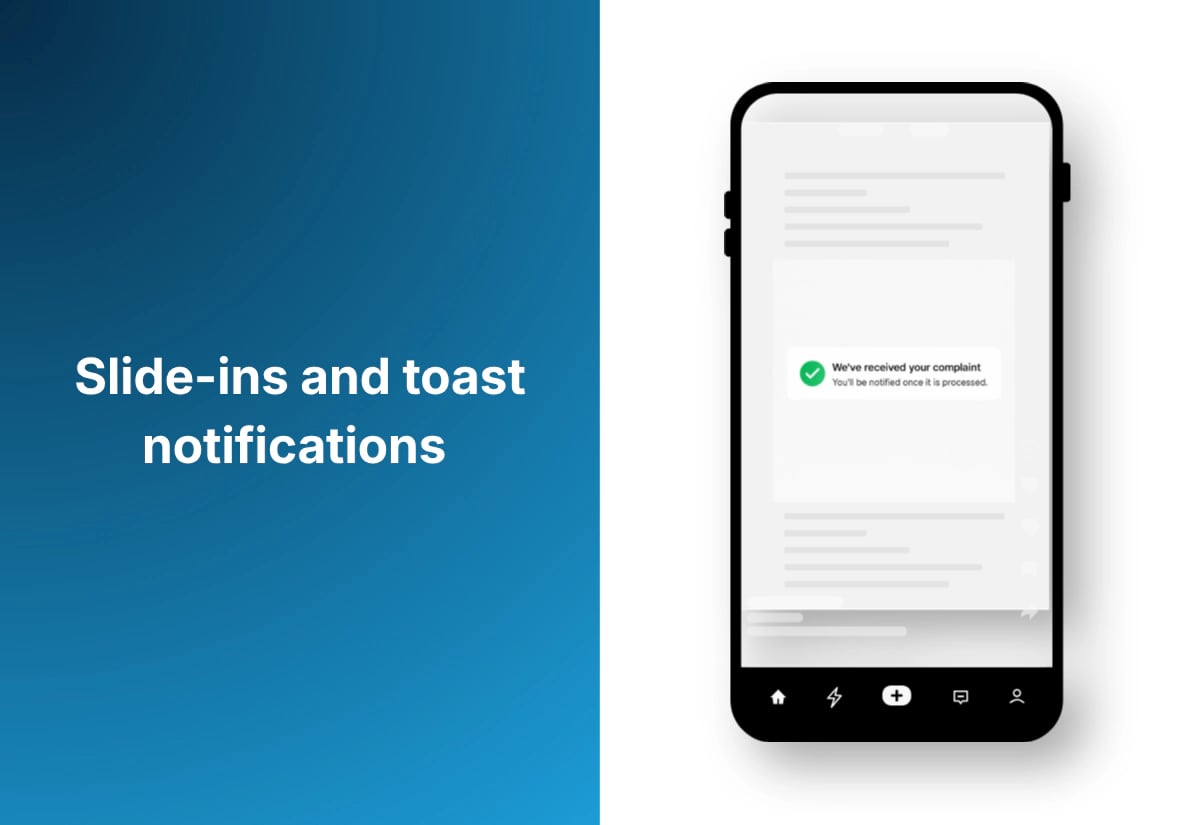
They don’t block content, they’re easy to ignore, and Google sees them as non-intrusive. They’re one of the safest formats for both conversion and SEO.
5. Sticky bars / bottom bars
- These are narrow banners that stay at the top or bottom of a page.
- SEO impact: Very low risk.
Google allows these as long as they don’t take up too much screen space. They’re commonly used for promotions, cookies, or newsletter signups.
6. Click-activated popups
- These only appear when a user clicks a button, link, or CTA (e.g., “Download Guide,” “Get Offer”).
- SEO impact: Minimal to none.
Because they are fully user-initiated, they do not interfere with page content or Google’s definition of “intrusive interstitials.”
7. Multi-step (2-step) Popups
- These show the first small step (like a button or question), and the full popup appears only after the user interacts.
- SEO impact: Very low risk.
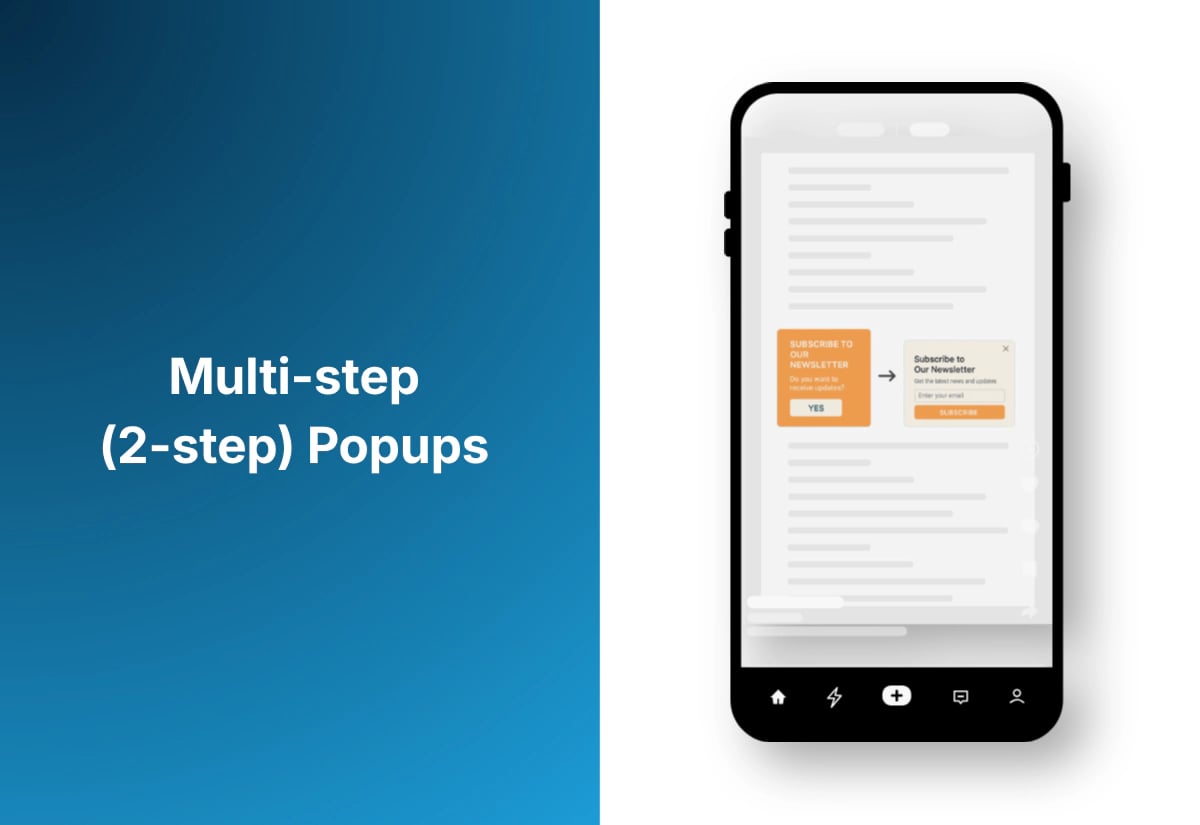
The first step is small and non-intrusive, and the second step only appears after interaction — meaning Google does not consider it disruptive.
8. Notification Bell Popups
- SEO impact: Very low risk.
- It behaves like a UI element, doesn’t obstruct content, and is entirely user-triggered.
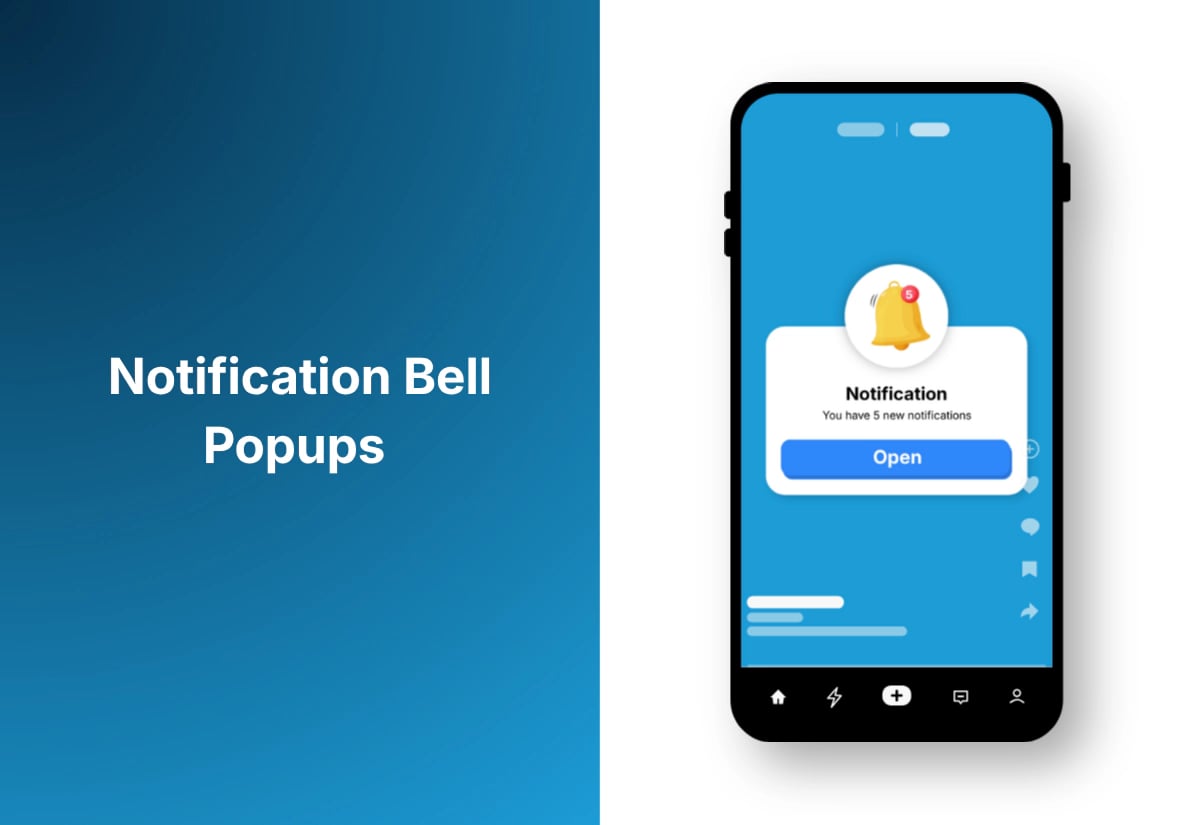
A small bell icon sits in the corner. Clicking it opens a message, promo, or signup prompt.
9. Inline Embedded Popups (Inline Opt-ins)
- These appear inside the content—like a signup box between paragraphs—but they do not overlay the page.
- SEO impact: Zero risk.
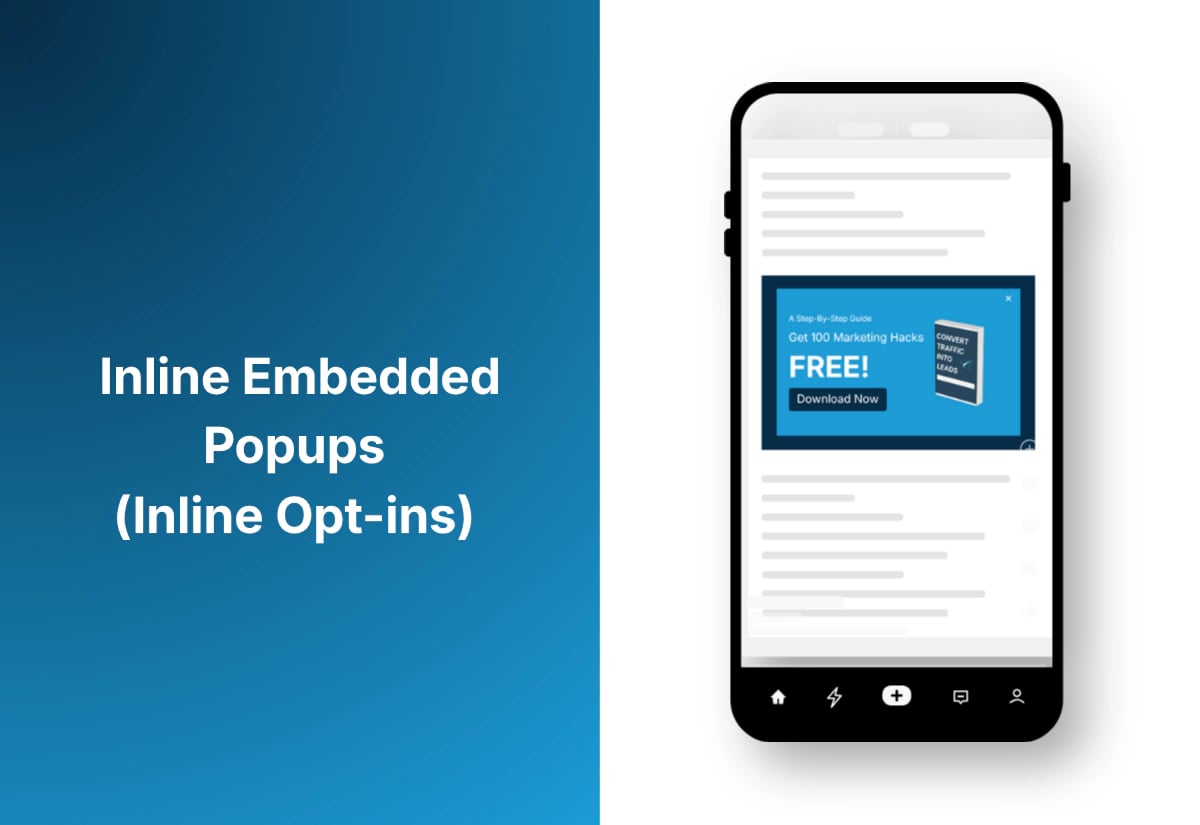
Since they are part of the page layout, they cannot be considered interstitials. Google treats them as normal content blocks.
10. Gamified popups (Spin-to-Win, Scratch Cards, Rewards)
- SEO impact: Depends on implementation (usually low).
- As long as the gamified widget does not blanket the entire screen immediately on load, it’s treated similarly to other interactive UI elements.
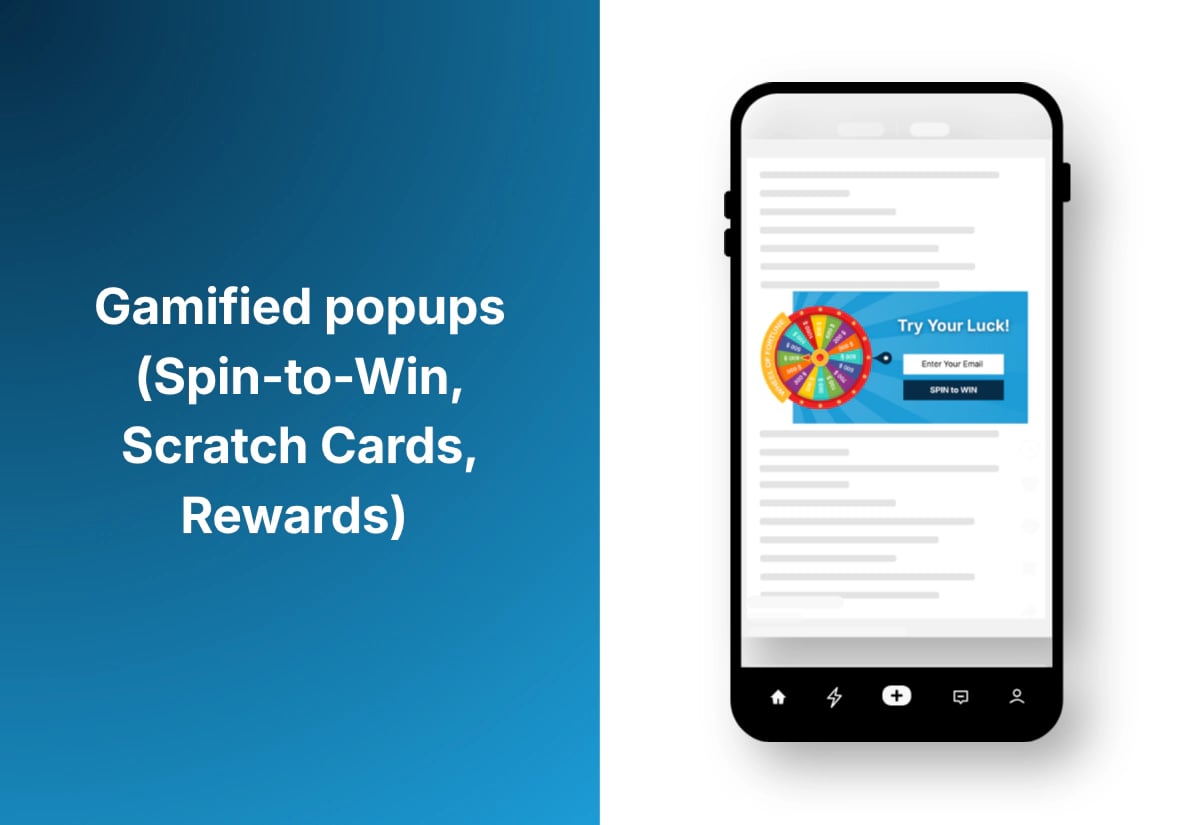
Interactive popups that offer discounts or perks.
11. Chatbot / live chat popups
- SEO impact: Very low risk.
- Most chat widgets appear minimized by default, which Google is fine with. Avoid auto-expanding on mobile right after page load.
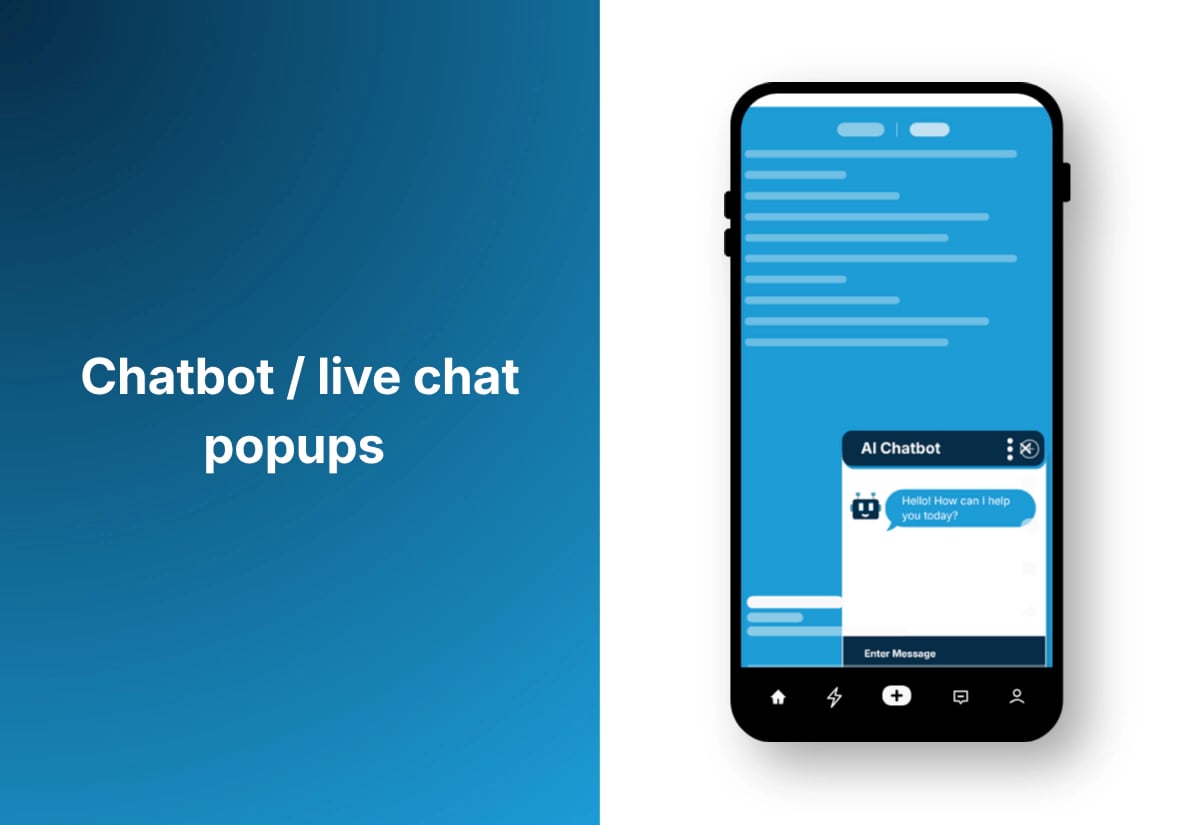
Chat widgets that expand when clicked or after a delay.
12. Floating corner widgets
- Small circular or square widgets that sit in a bottom corner (e.g., promo badge, help icon, survey button).
- SEO impact: Very low risk.
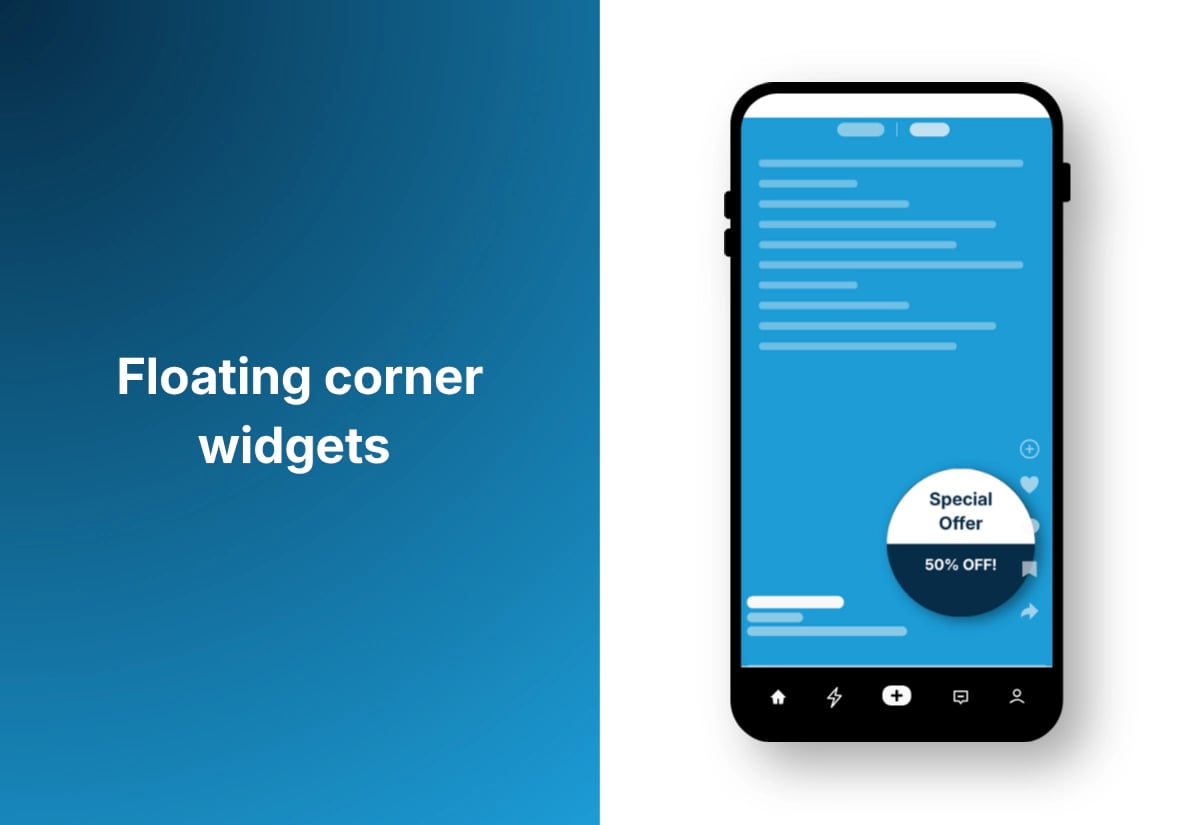
These don’t obstruct content and are commonly used without SEO penalties.
13. Coupon reveal popups
- A small teaser displays, and clicking it reveals the full offer.
- SEO impact: Low risk.
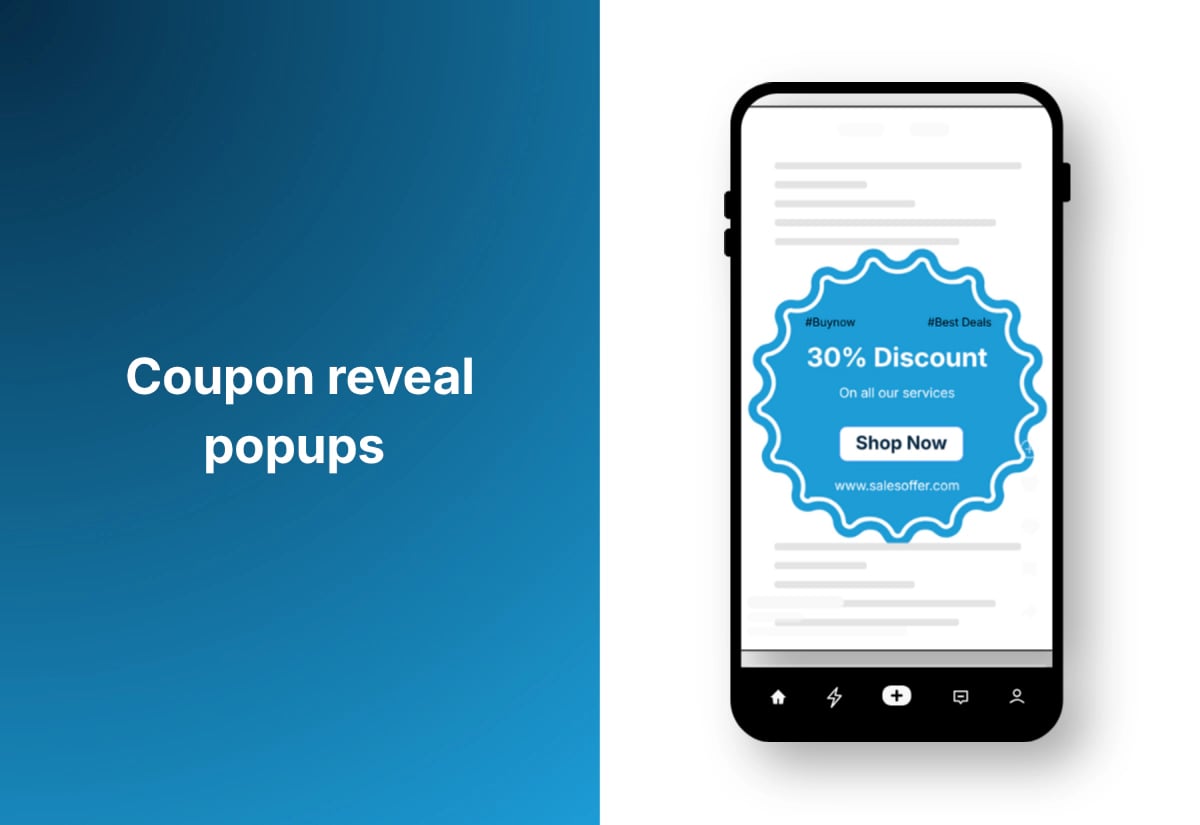
The popup is not forced on the user; it appears only after engagement, which aligns with Google’s non-intrusive guidelines. Here is an example:
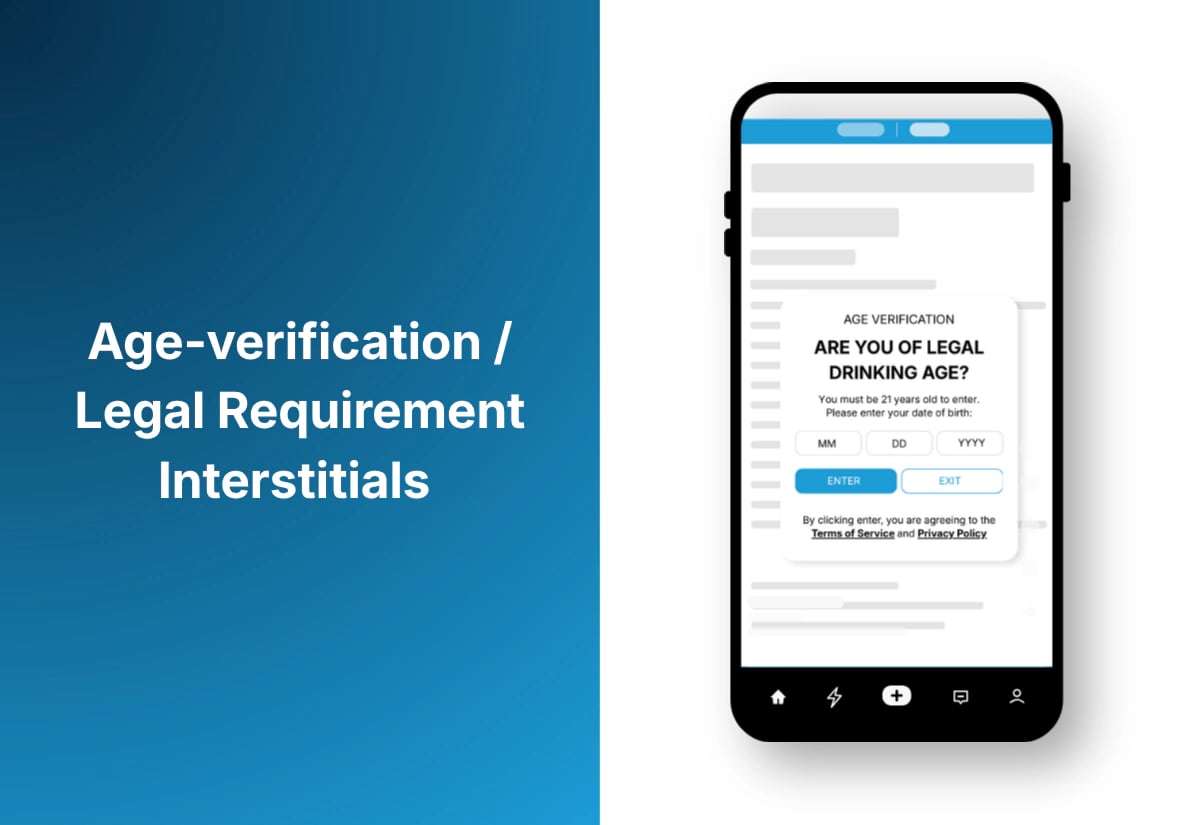
14. Age-verification / Legal Requirement Interstitials
- Used for alcohol, gambling, or adult-restricted content.
- SEO impact: Fully safe.
Not all popup types are risky—but how you implement them matters more than the format itself.
Use our FREE Practical Popup Creation Checklist to validate your setup before going live.
[text_lm]
Best Practices for Using SEO Friendly Popups
1. Avoid instant popups (Especially on Mobile)
Never trigger a popup the moment a user lands on a page. Google flags this as intrusive because it blocks the content they came to see.
2. Use delayed or behaviour-based triggers
Set popups to appear after 20–30 seconds, after a 50–60% scroll, or only on exit intent. These timings prevent disruptions to the initial content experience.
3. Keep the popup under 30% of the screen
On the mobile, ensure the popup doesn’t dominate the screen. Small slide-ins, bottom bars, and compact modals are far safer than large overlays.
4. Make the “Close” button impossible to miss
Place a clear visible X or “Close” button in the top-right corner, at least 44px in size (Apple’s minimum tappable area). Hidden or tiny buttons lead to user frustration and higher bounce rates.
5. Don’t let Popups shift the layout
Reserve space for slide-ins and test to ensure nothing pushes the page down when the popup appears. This protects your CLS score in Core Web Vitals.
6. Limit frequency
Use a cookie or local storage to show the popup once per session or once every 24 hours. Repeated popups across every page view are a quick path to high bounce rates.
7. Load popup scripts after the main content
Use asynchronous loading (async or defer) for popup scripts so they don’t slow down your LCP or block rendering.
8. Disable intrusive popups on key landing pages
For SEO-heavy pages (blog posts, service pages, FAQs), use smaller, gentler formats. Save aggressive popups for non-SEO pages like thank-you pages, category hubs, or account screens.
9. Keep mobile rules strict
Always test on a real phone—not just responsive mode. Make sure the popup is easy to close with one tap and never fills the full viewport.
10. Give users a reason to care
If you’re going to interrupt the experience, offer something worthwhile: a genuine discount, a free resource, or a simple next step. Valuable popups get fewer complaints and better engagement.
[text_lm]
Common Mistakes to Avoid
1. Stacking multiple popups at once
Newsletter signup + discount offer + chatbot popup = instant irritation. Stick to one popup at a time, and space them out sensibly.
2. Ignoring mobile behaviour
What feels tolerable on desktop can be impossible to navigate on a phone. Make sure popups scale properly, don’t block the entire viewport, and close easily with one tap.
3. Showing popups on every single page view
If visitors see the same popup repeatedly, they’ll tune it out—or worse, bounce. Use frequency caps so people aren’t slammed with the same message.
4. Using heavy scripts that slow the page down
Overloaded popup plugins can hurt your Core Web Vitals. Lightweight code and asynchronous loading help keep performance smooth.
5. Using guilt-tripping or overly aggressive copy
Lines like “No thanks, I hate saving money” create a negative tone. They might get attention, but they also undermine trust and brand perception.
6. Not testing before going live
Popups can behave differently across devices and browsers. A quick test on mobile, tablet, and desktop prevents surprises and avoids breaking the layout.
Conclusion
Now that you know how popups affect SEO, the next step is to audit what you already have and check whether anything feels intrusive—especially on mobile. Adjust the timing, reduce screen coverage, and switch to gentler triggers where needed.
UR Digital can help you review your popup setup, fix SEO risks, and guide you toward a cleaner, more user-friendly approach. A few targeted updates can lift both engagement and rankings. Contact us if you’d like professional guidance.
[text_lm]
FAQs
Do popup ads actually work?
Yes, popups can work very well when they’re used thoughtfully. They often convert better than static banners because they’re more visible, but their success depends heavily on timing, design, and relevance.
Are popup ads malicious?
Most popups on reputable websites are not malicious—they’re usually for promotions, email signups, or compliance notices. However, popups that appear everywhere, open new tabs, or show warnings may indicate adware or an insecure site.
Why do some websites have so many popup ads?
Some sites rely heavily on ad revenue, so they use multiple popups to increase clicks and impressions. In other cases, excessive popups are the result of poor UX choices or third-party scripts that inject extra ads.
What are the risks of popups?
The main risks are a poor user experience, higher bounce rates, and potential SEO issues if the popups block content. In rare cases, popups can also be used to deliver deceptive content or lead to unsafe sites.
How effective are popups?
When done right, popups can be extremely effective—especially for email signups, offers, and lead magnets. The key is using them in a way that doesn’t annoy users or disrupt the main content.
What malware causes popups?
Adware is the most common culprit behind excessive or suspicious popups. Infected browser extensions, rogue apps, or unwanted programs installed on your device can also trigger constant popup ads.
Does clearing my cache stop popup ads?
Not always. Clearing your cache can remove some temporary scripts or outdated files, which might reduce certain popups. But if the popups are caused by adware or unwanted extensions, you’ll need to remove those directly for the problem to stop.