Keyword research means finding, qualifying, and prioritising search queries your ideal customers use, then mapping them to pages by intent, difficulty, and funnel stage. Use data from Google, Bing, GSC, community platforms, and AI to build focused topic clusters that drive leads and revenue. This guide is ideal for business owners and marketing managers of medium enterprises.
Before we begin, this is a very long post, I suggest you bookmark this and comeback to it, if it is too much for one read, but if you are feeling motivated, go for it.
[text_lm]
Introduction
I have been in the SEO industry for over 20 years and if keyword research feels like a chore you keep pushing down the to-do list, this guide is your friendly kick in the shins. We’ll walk through the tools, the data, and the decisions that go into building a keyword list that wins clicks, leads, and revenue across Google, Bing, YouTube, and even AI search results.
What you’re about to see:
- Which metrics matter and which ones are vanity
- How to pull real search terms from Google, Bing, GSC, and Bing Webmaster Tools
- How to mine forums, Reddit, YouTube, and AI tools for “how people actually talk”
- How to score and prioritise keywords by intent and funnel stage
- How my agency UR Digital has handled real-world keyword conflicts (and avoided some nasty mistakes)
You don’t need every tool on the planet. You need a repeatable process that fits in a spreadsheet and can grow with your site. Let’s start there.
What Is Keyword Research and Why Is It Important?
Keyword research is the process of finding, qualifying, and prioritising the words and phrases your ideal customers type into search boxes – and now, into AI chat interfaces – when they’re trying to solve a problem.
Done properly, it gives you:
- A roadmap tied to actual demand
- Clear targets for each page or topic cluster
- Language that matches how your audience thinks, not how your internal team labels things
Now that conversational AI is rewriting how people search, keyword research has picked up a second job: feeding AI systems with the right entities, relationships, and context so that you remain part of the answer even when there is no classic “ten blue links”.
[text_lm]
Which Metrics Should You Care About?
Before you drown in numbers, you need to understand the basics and how they fit into real decisions.
Core metrics
- Search volume: How many times a keyword is searched in a given period. Treat it as an estimate, not gospel, things change rapidly.
- Relevance: How closely the keyword maps to what you sell or explain. This is non-negotiable.
- Competition: How many sites (and how strong) already target that term.
- Difficulty: A tool’s estimate of how hard it will be to rank in organic search.
Please note, these metrics are generally only available in 3rd party tools. 1st party data generally does not report these datapoints. Any data that you see in 3rd party tools are their individual algorithm specific and may not be exact. My advice, don’t rely on it too much.
Keyword types
- Short-tail keywords: Broad, usually one or two words (for example, “shoes”). High volume, high competition, and vague intent.
- Long-tail keywords: Longer, more specific phrases (for example, “best running shoes for flat feet”). Lower volume, but far stronger intent and better conversion.
- Semantic and entity terms: Related words, brands, product types, locations, and concepts that help search engines and AI systems understand context and connect your page to the right entities in the Knowledge Graph.
If you only chase big search volume, you’ll waste months trying to outrun brands with ten times your budget. If you focus on relevance, intent, and difficulty, you’ll stack small wins that compound.
At this stage, it is important to bring another concept which you may or may not have heard of.
Keyword Intent
Every search has an intent behind the search. They usually fall under 4 categories:
- Informational: These are the keywords where the user is generally looking for information usually associated with research. Think of keywords that start with who, what, how, etc. In funnels, you can think of this as Awareness/TOFU.
- Navigational: These are the keywords where a user usually knows where they want to go but they want the help of search engines or LLMs to give them the exact results. For example, Ikea returns policy or Microsoft 365 pricing.
- Commercial: These keywords are generally pre-purchase decisions where they are just trying to be sure of their upcoming engagement/purchase. Think of keywords like this vs., best <something>, etc. In funnels, you can think of this as Consideration/MOFU.
- Transactional: These keywords are where the user is most likely ready to take an action like purchase or fill out a form or anything else. In keyword terms, you can think of keywords like buy <something> etc. In funnels, you can think of this as Conversion/BOFU.
In my experience, on traditional search engines like Google and Bing I have seen AI Overviews/AI Mode/Copilot appear mostly for Informational keywords and sometimes for Transactional keywords.
How to Decide Which Keywords to Target
Start with long-tail keywords that are:
- Directly tied to your product or service
- Sitting in SERPs that aren’t full of giants like Amazon, Wikipedia, and government sites
If two keywords look similar, pick the one that:
- Matches a clearer commercial or “problem-solving” intent
- Where you believe your business can add better *value* to the SERPs.
- Connects better to a bottom- or middle-of-funnel action (enquiry, trial, demo, purchase)
8 Keyword Research Methods I Rely On
This is the part most people skip to. Fair. Let’s get into the tools and look at what to pull from each one.
Spoiler: This is a manual process with little automation, but done right, I promise you, it will surprise you.
Step 1: Use Google Search for Keyword Ideas
Google is still the easiest free research tool. Use it like a curious customer, not like an SEO.
a. What can Google Autocomplete tell you?
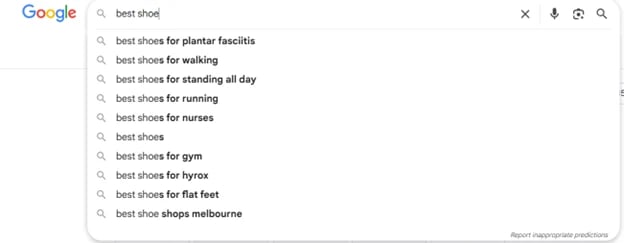
Start typing a seed phrase (for example, “best shoes”) and watch what appears. Each suggestion is a real query typed by real people, complete with intent (“for plantar fasciitis”, “for flat feet”, “for gym”).
b. How do People Also Ask (PAA) boxes help?
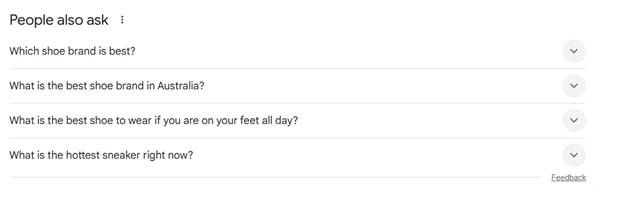
For many queries, you’ll see expandable questions such as “What is the best shoe to wear if you are on your feet all day?” or “What is the best shoe brand in Australia?”. These reveal pain points and content angles for FAQs, comparison posts, and product pages.
Pro tip: Not all questions might be relevant to you. But here is the information you will not find elsewhere. Every time you open a question, Google will automatically add two new questions based on your selection, until it runs out of questions.
c. What about related searches at the bottom?
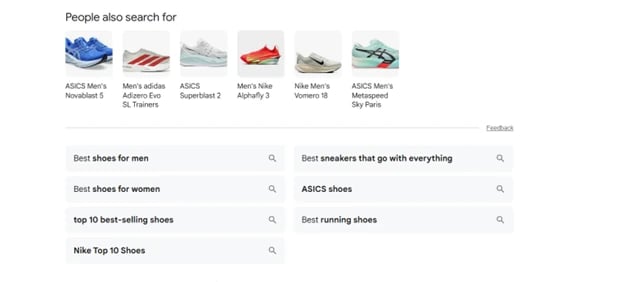
Scroll to the bottom of page one and you may find “Related searches”. These help you spot synonyms, alternate phrasings, and adjacent topics you could cover in the same cluster.
d. Bonus: Use Google Image Search
Go to https://images.google.com, type in your seed keyword, look for tiles underneath.

Step 2: Use Google Search Console to Mine Existing Demand
Google Search Console (GSC) shows you for which keywords your website is ideal according to Google. That makes it one of the highest-impact free tools you can use.
In GSC → Performance → Search results, sort by impressions and filter by page, country, or device. Look for:
- High impressions, low clicks: Your page is visible, just not ranking high enough. Improve the content and align the page more tightly with the query.
- Queries with impressions but no dedicated page: Create new content that matches this intent (for example, a guide, category page, or feature page).
Export the data as CSV and feed it straight into your keyword sheet.
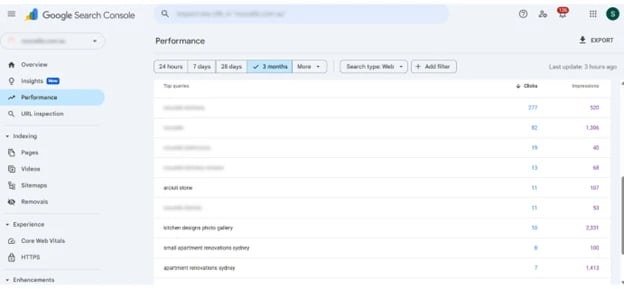
Please see:
- Google ranks pages not websites.
- Click on pages (below the graph)
- Click on a page, which automatically adds it as a filter
- Now you are only looking at keywords for which that page appears on Google.
Step 3: Use Google’s Tools Beyond Search
You already pay with your data. You might as well get value back.
a. How do you use Google Keyword Planner without wasting hours?
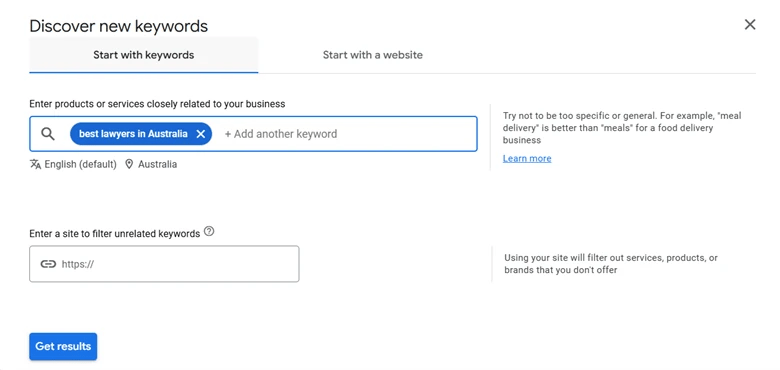
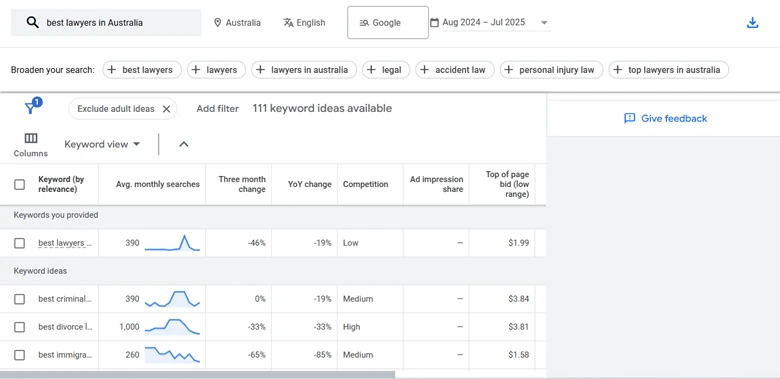
Inside Google Ads, Keyword Planner lets you enter a seed term or a competitor’s URL to see related keywords, estimated ranges for monthly searches, and competition levels by location and language.
Use it to:
- Group keywords by theme or product line
- Compare against your GSC data to spot gaps
- Filter by country or city to see where to focus first
b. How can Google Trends help you pick the right timing?
Google Trends is your trend radar. Set the region (for example, Australia), time range, and search type (Web, YouTube, News). You can then:
- Spot seasonal spikes (for example, “EOFY tax help” or “Christmas recipes”)
- Compare interest between two terms (“SEO consultant” vs “SEO agency”)
- See which states or cities are more active for that topic
Use this to decide when to publish content and which regions need dedicated pages.
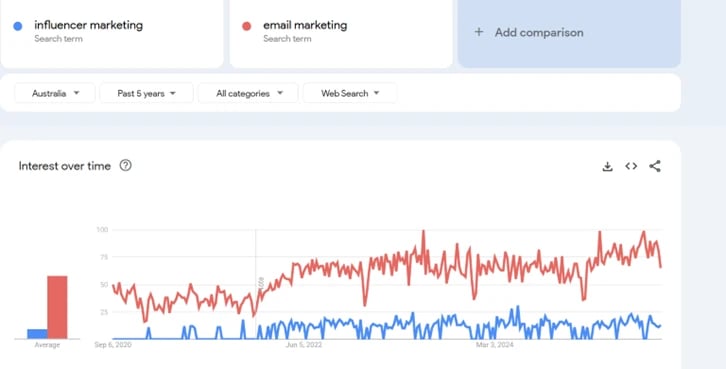
Pro Tip: If available, always go for topics over individual search terms, to see what keywords and improving and which ones are declining over a given period.
Step 4: Use Bing Search for Extra Keywords?
According to Statista, Bing has 4% of the total global search engine market share, but it’s still worth your time, especially because AI-driven surfaces like Copilot lean heavily on Bing’s index.
Treat Bing like you treated Google:
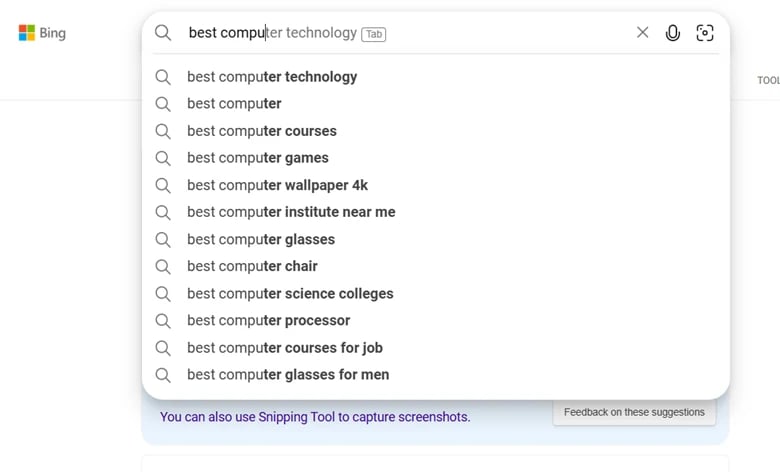
- Type seed terms and watch autosuggest
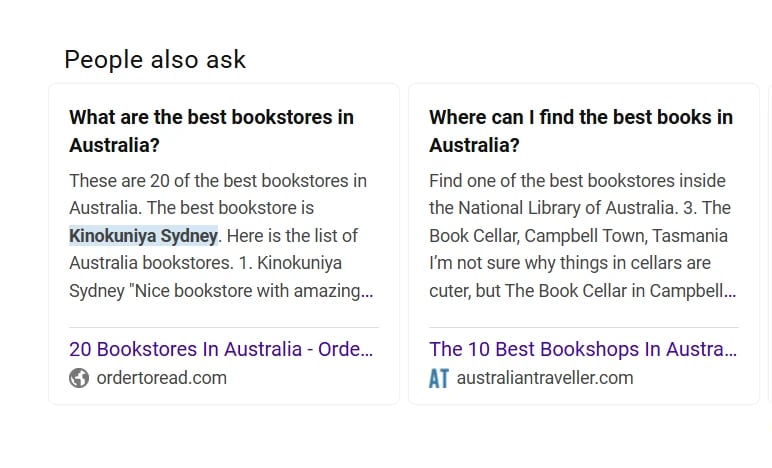
- Look for People Also Ask which is a part of the search results
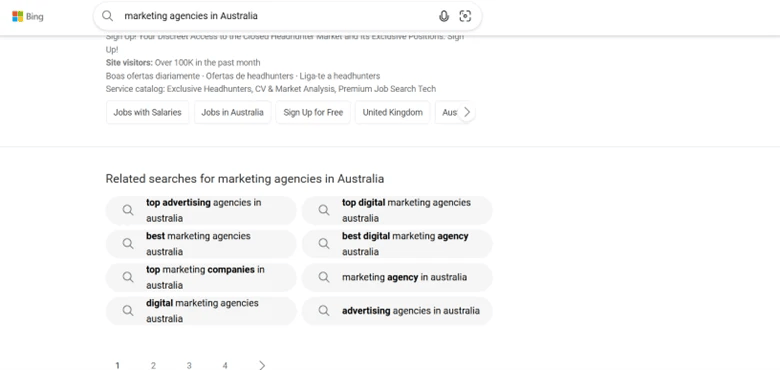
- Scan Related searches on the right sidebar of the page
Then jump into Images, Videos, and News tabs to see content angles that may not appear in normal web results.
Compare your findings with Google data. Sometimes Bing may surface topics that does not appear on Google. Those queries can still bring qualified traffic.
Step 5: How Do You Use Bing Webmaster Tools?
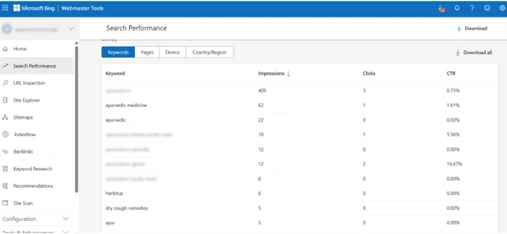
Bing Webmaster Tools is Bing’s answer to GSC. Once you verify your site, you can see:
- Queries that send impressions and clicks
- Average positions
- Backlink data and index coverage
BWT does not allow filtering, but you can export the data.
Step 6: Use Quora, Reddit & YouTube for Keyword Research
Community platforms show you how humans actually phrase problems and questions, not how tools label them.
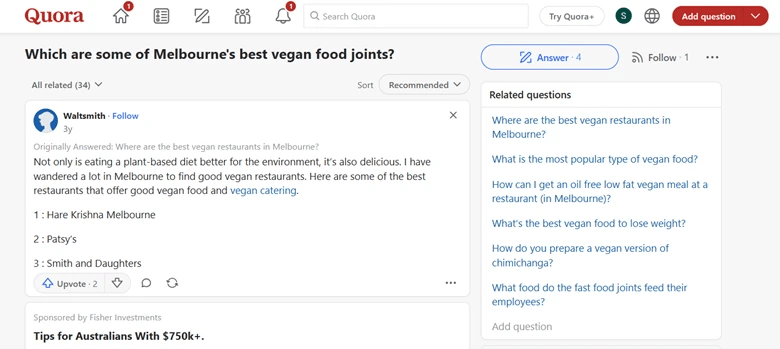
Quora
Search your topic on Quora and sort by the most-followed or most-answered questions. These often translate directly into long-tail blog posts or FAQ headings.
Jump into relevant subreddits and scan:
- Thread titles
- Questions that keep coming up
- Phrases users repeat when describing problems
These make excellent conversational keywords and can inspire content like “Reddit-style” breakdowns or myth-busting articles.

YouTube
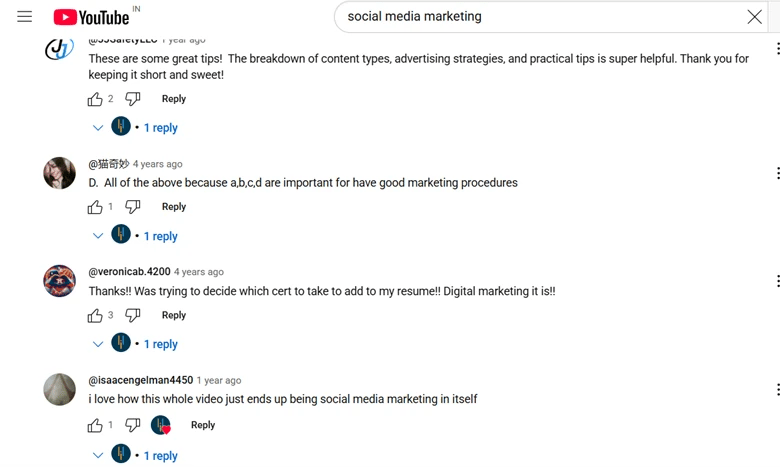
Use the YouTube search bar for autosuggestions, then read the comments under top videos. Viewers basically write your FAQs for you. In the example from the blog, comments surface phrases like “digital marketing”, “advertising strategies”, and “good marketing procedures” – all handy terms for your list.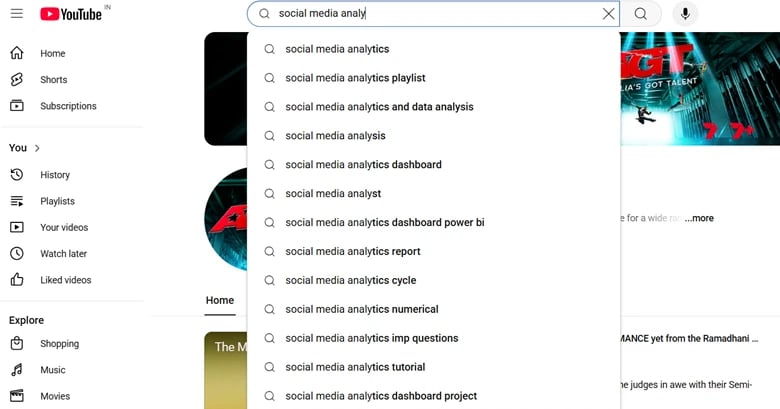
If this sounds like something, I highly recommend two webinars, Data to Decisions – Part 1: How to uncover real user pain points using Reddit, Whirlpool & Forums and Part 2: Turn pain into SEO wins where I show you how to use NotebookLM to mine this data and use it to make data informed decisions. You can access them here.
Step 8: Use AI for Keyword Research
AI tools are great assistants and terrible bosses.
Tools like ChatGPT, Gemini, Perplexity can help you:
- Pull keyword ideas from a competitor’s URL
- Group your keyword list into themes
- Suggest related terms for topical depth
Good prompts include:
- “List the main topics and keywords from this URL for an Australian audience interested in B2B SaaS.”
- “Group this keyword list into clusters and tag each one as awareness, consideration, or decision stage.”
Then sanity-check everything against real SERPs and your own product knowledge. AI is allowed to brainstorm. It is not allowed to choose your final targets.
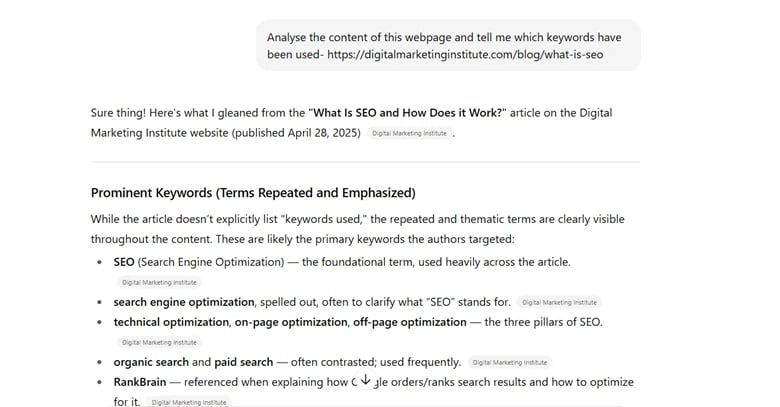
Pro Tip: If you have access to a paid subscription, try Deep Research to see what information AI rely’s on.
[text_lm]
Filtering and Prioritising Your Keywords
Once you have a messy list, the real keyword research starts.
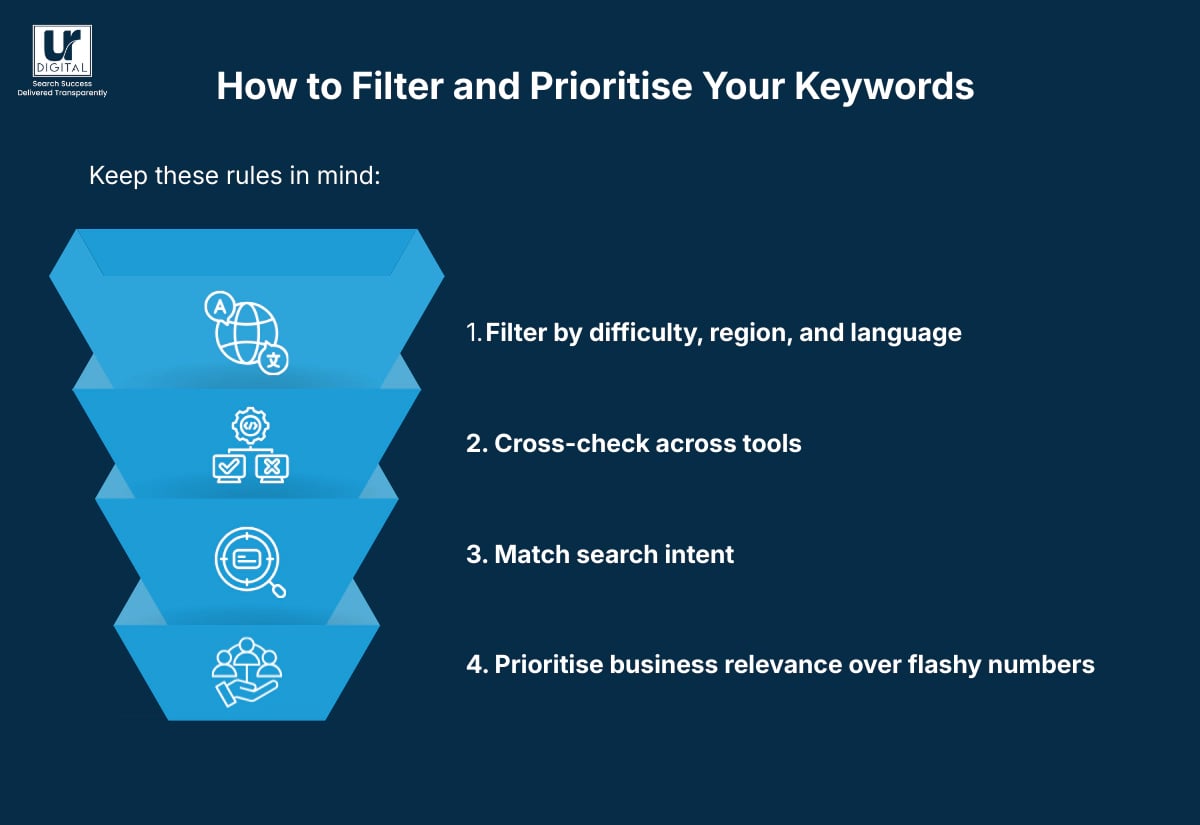
Keep these rules in mind:
- Filter by difficulty, region, and language: If you only sell in Australia, global interest is a distraction.
- Cross-check across tools: If GSC, Keyword Planner, and Ahrefs all show interest, that keyword deserves serious consideration.
- Match search intent: Check the SERP. Are users clearly researching, comparing, or buying? Does your planned page type match that?
- Prioritise business relevance over flashy numbers: A 150-search term that brings buyers beats a 5,000-search term that only attracts students writing assignments.
When two similar keywords compete, compare:
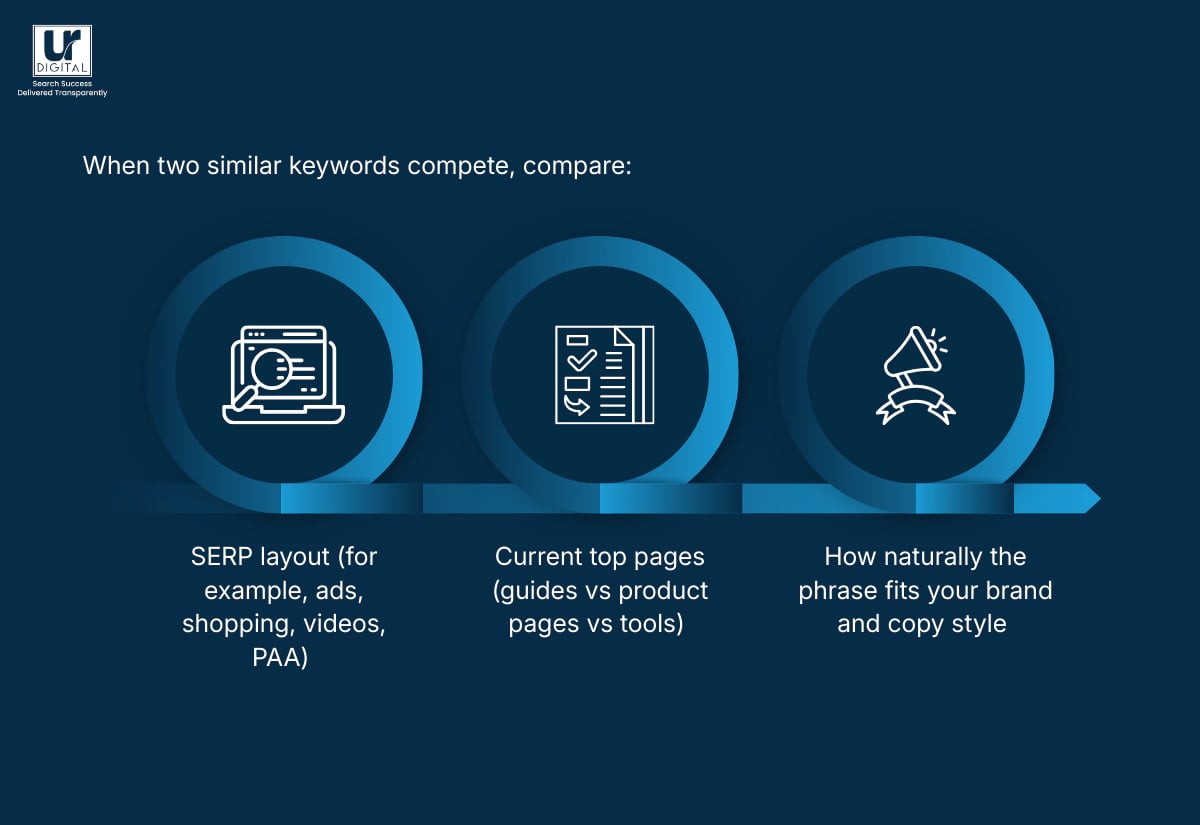
- SERP (for example, ads, shopping, videos, PAA)
- Current top pages (guides vs product pages vs tools)
- How naturally the phrase fits your brand and copy style
How to Build Your Own Keyword List
A living keyword list should behave like a light CRM for your topics.
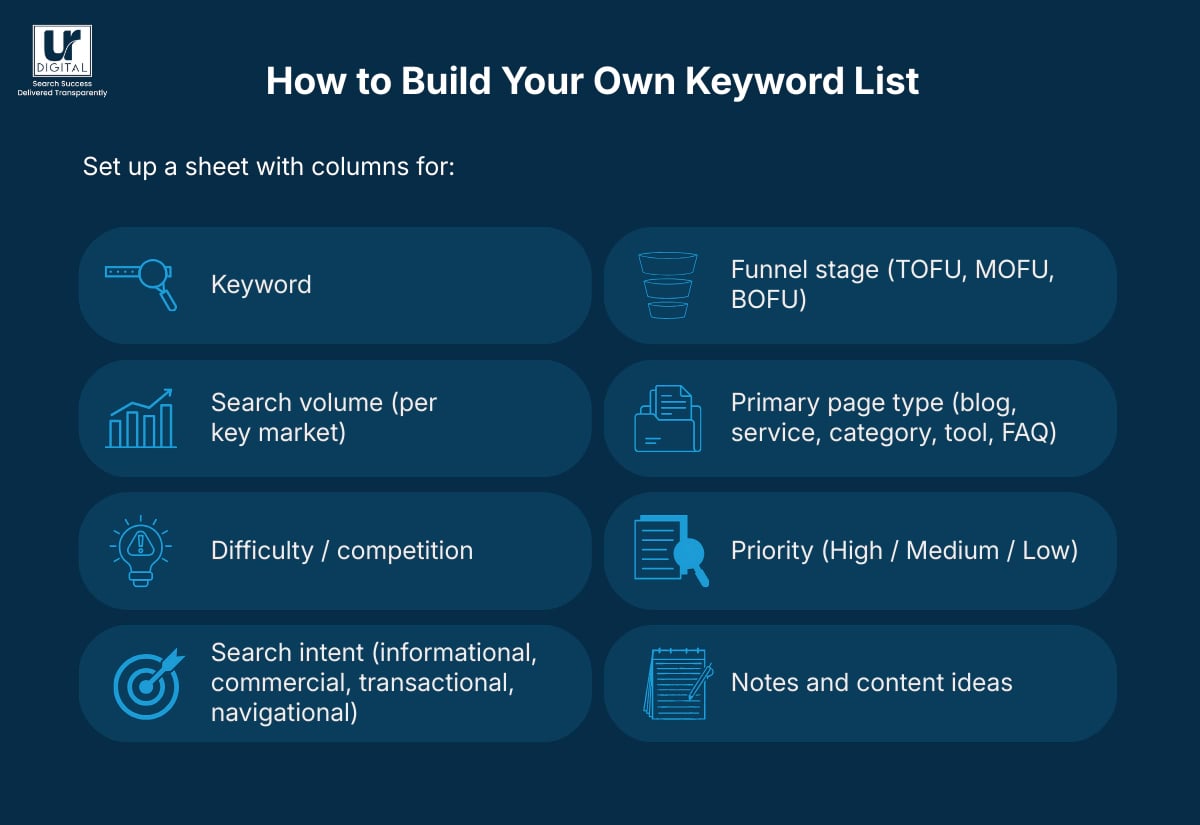
Set up a sheet with columns for:
- Keyword
- Search volume (per key market)
- Difficulty / competition
- Search intent (informational, commercial, transactional, navigational)
- Funnel stage (TOFU, MOFU, BOFU)
- Primary page type (blog, service, category, tool, FAQ)
- Priority (High / Medium / Low)
- Notes and content ideas
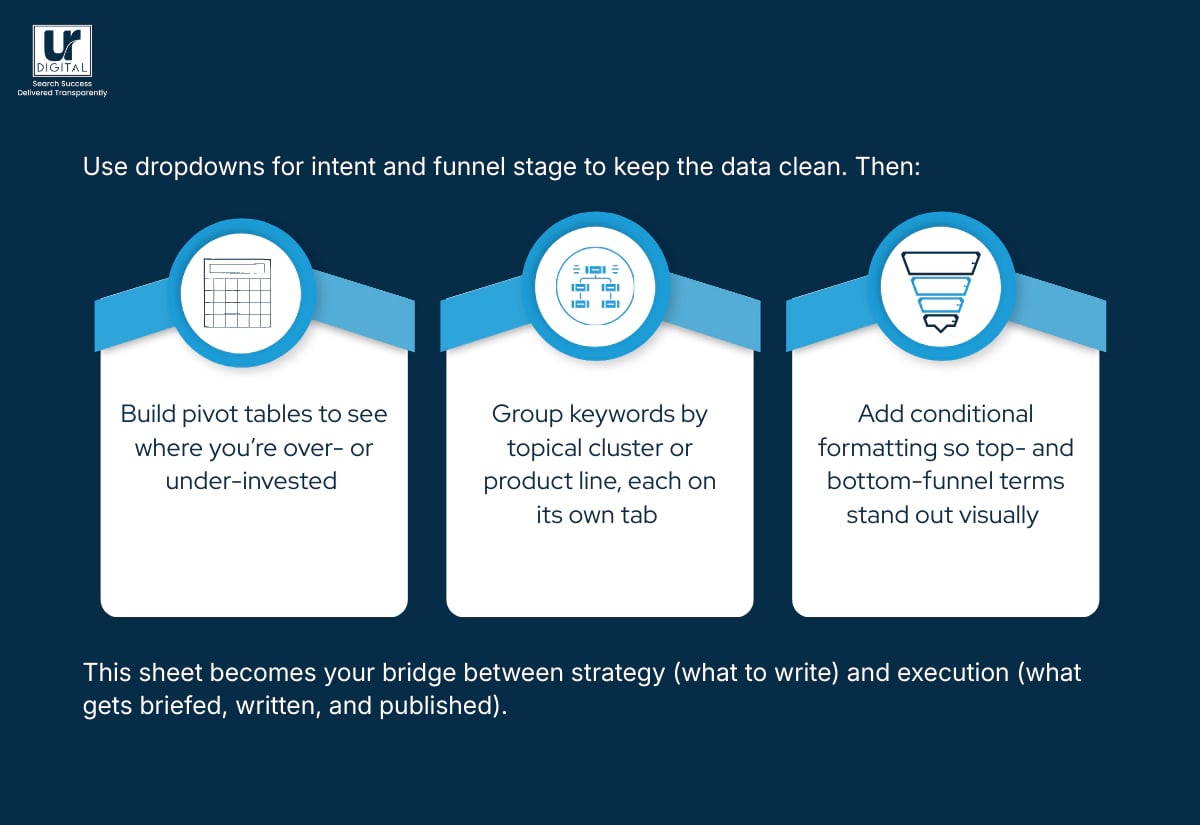
Use dropdowns for intent and funnel stage to keep the data clean. Then:
- Build pivot tables to see where you’re over- or under-invested
- Group keywords by topical cluster or product line, each on its own tab
- Add conditional formatting so top- and bottom-funnel terms stand out visually
This sheet becomes your bridge between strategy (what to write) and execution (what gets briefed, written, and published).
How Topical Maps Fit into Keyword Research
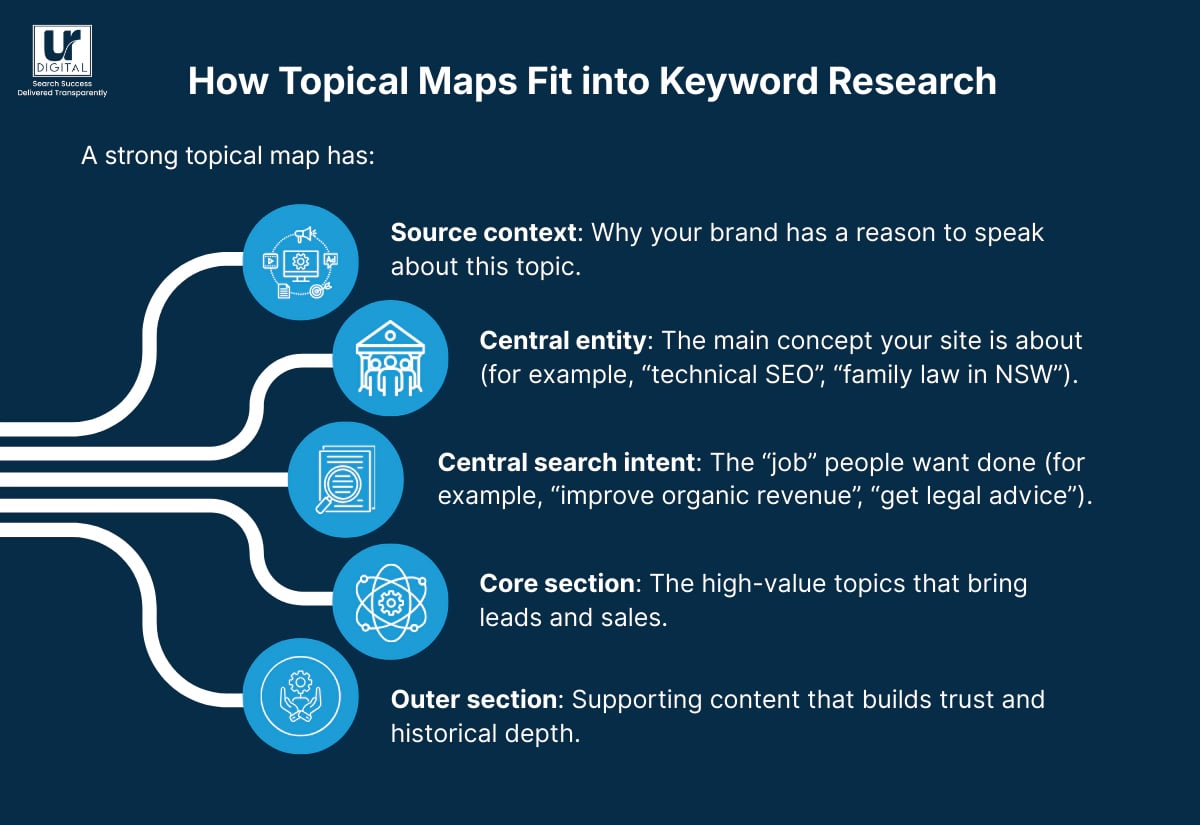
Keywords are single points; topical maps are the picture.
A strong topical map has:
- Source context: Why your brand has a reason to speak about this topic.
- Central entity: The main concept your site is about (for example, “technical SEO”, “family law in NSW”).
- Central search intent: The “job” people want done (for example, “improve organic revenue”, “get legal advice”).
- Core section: The high-value topics that bring leads and sales.
- Outer section: Supporting content that builds trust and historical depth.
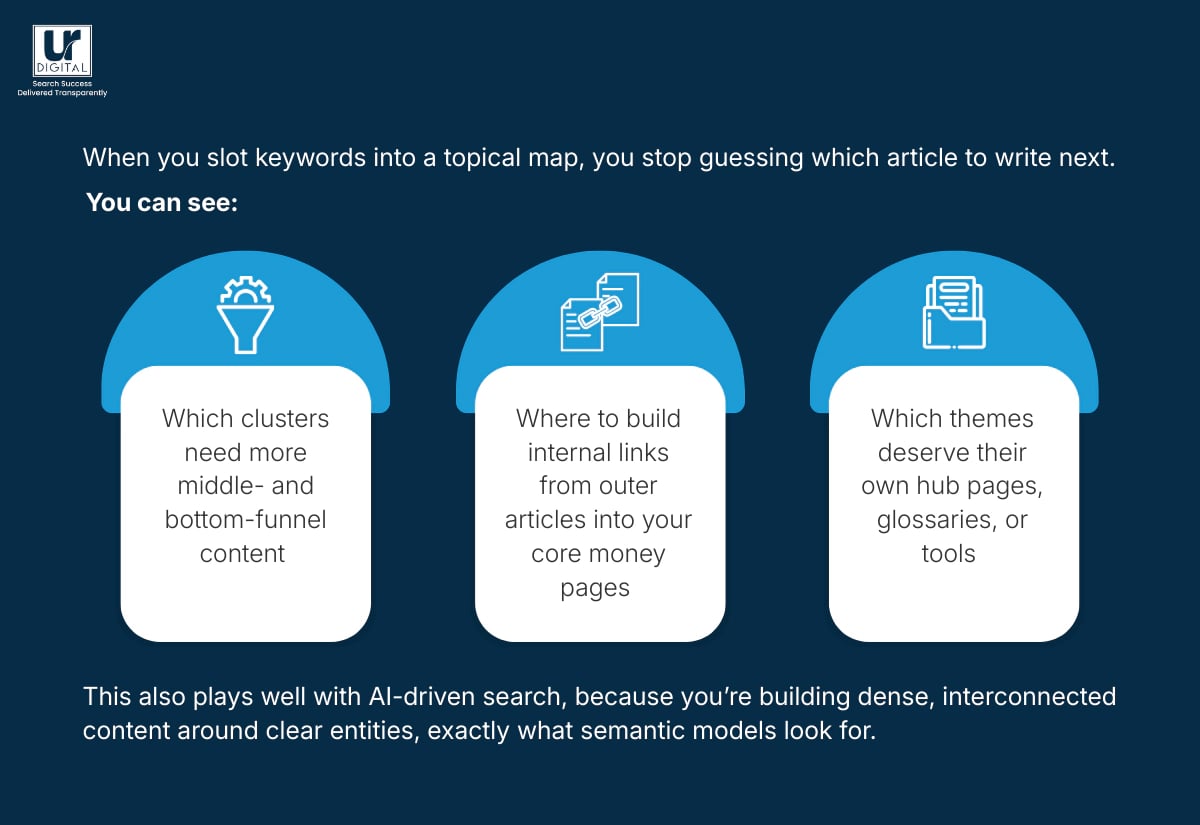
When you slot keywords into a topical map, you stop guessing which article to write next. You can see:
- Which clusters need more middle- and bottom-funnel content
- Where to build internal links from outer articles into your core money pages
- Which themes deserve their own hub pages, glossaries, or tools
This also plays well with AI-driven search, because you’re building dense, interconnected content around clear entities, exactly what semantic models look for.
[text_lm]
What Do Real-World Keyword Research Decisions Look Like?
Here’s where UR Digital’s SEO, GEO and Content teams get picky.
Example 1: Does One Letter in a Keyword Matter?
Problem: While tuning the “Stainless Steel Enclosures” page for PSS Distributors, tools suggested both “316 stainless steel” and “316L stainless steel”. Technically, 316L has a lower carbon content (0.03% vs 0.08%), which changes how the product performs. Using the wrong term would mislead engineers and buyers.
Solution: Drop all “316L” terms and keep the ones matching the actual specification. Credibility is worth more than a few extra impressions.
Example 2: What Happens When Tool Keywords Don’t Match Customer Language?
Problem: For a “Power Supplies – PC Cards” category, the phrase “PC cards” looked wrong because tools associated it with WiFi and gaming hardware. The team considered “printed circuit boards”, which was technically accurate but too broad. After speaking with the client, we learnt customers called the product “timer board” or “relay board”.
Solution: Listen to customers because they, and not keyword research tools, know their customers (and products) best.
Example 3: How Do You Untangle Overlapping Product Keywords?
Problem: Three UPS bypass system pages came with a chaotic list of overlapping keywords. Some terms described internal bypass mechanisms, others external bypass mechanisms. Keyword stuffing would have damaged both rankings and clarity.
Solution: We reviewed product specs, then used ChatGPT as a sorting assistant to group and assign keywords to the right product pages. The final cleaned list fed into:
- Clearer product copy
A supporting blog explaining the difference between internal and external bypass systems
What Should You Do After Reading This?
You now have:
- A process to gather keyword ideas from Google, Bing, GSC, Bing Webmaster Tools, forums, YouTube, and AI tools
- A framework to score keywords by intent, difficulty, and funnel stage
- Real examples of how small wording choices can affect trust and conversions
The boring part is next: actually building the sheet, tagging the intent, and turning rows into briefs, pages, and campaigns. Chin up, it’s the kind of work that quietly grows traffic over time.
If you’d like a second set of eyes – or want me or the UR Digital crew to build the whole keyword strategy with you – get in touch and we’ll walk through your current data, your competitors, and your revenue goals, then map out which keywords fit into that picture.
FAQs
Which keyword tool is best for beginners?
If you’re brand new, start with Google Keyword Planner because it’s free with a Google Ads account and gives you volume ranges, related terms, and basic competition data. Pair it with Google Search Console so you see what already works on your site.
How should I use keyword tools for SEO?
Pick a seed keyword, pull related terms from at least two tools, then:
- Remove anything that isn’t relevant to your offer.
- Tag each remaining keyword by intent and funnel stage.
- Match groups of keywords to specific pages or planned pages.
How do I find the most searched keywords on Google?
Use:
- Google Trends for trending and rising queries
- Keyword Planner for search volume ranges
- Google’s own SERPs (Autocomplete and PAA) to see what people type in day-to-day
For annual “big picture” keywords, check Google’s Year in Search recap.
What mistakes do people make with keyword research?
Common traps include:
- Chasing only high-volume terms
- Ignoring search intent and SERP layout
- Forgetting regional differences (for example, US vs Australian phrasing)
- Relying on a single tool without cross-checking
- Targeting keywords that don’t connect to any revenue goal
How do I choose between two similar keywords?
Compare:
- The intent shown by current results
- The type of pages ranking (guides, tools, products, local listings)
- Your ability to create a better, more complete answer
Pick the keyword that aligns with your page’s purpose and has a realistic path to ranking, even if its search volume is lower.
Disclaimer
The contents of this blog are for informational and educational purposes only. They do not constitute professional SEO, GEO, AEO, ASO, or digital PR advice and should not be relied upon as such. We recommend consulting with an SEO expert before implementing any strategies. UR Digital accepts no responsibility or liability for any outcomes resulting from actions taken in reliance on the information contained in this content. Links to third-party websites are provided for reference purposes only. We do not endorse or guarantee the accuracy, relevance, or completeness of their content.